Project
Afterlab Pocket ADV
A handheld Afterlab companion that brings lab access, voice interaction, radio awareness and pocket tools into native firmware.
Active development
- Type
- Embedded handheld / native firmware
- Role
- Product design, firmware development & system integration
- Context
- Personal project
- Duration
- 2026-Ongoing
The brief
What it is
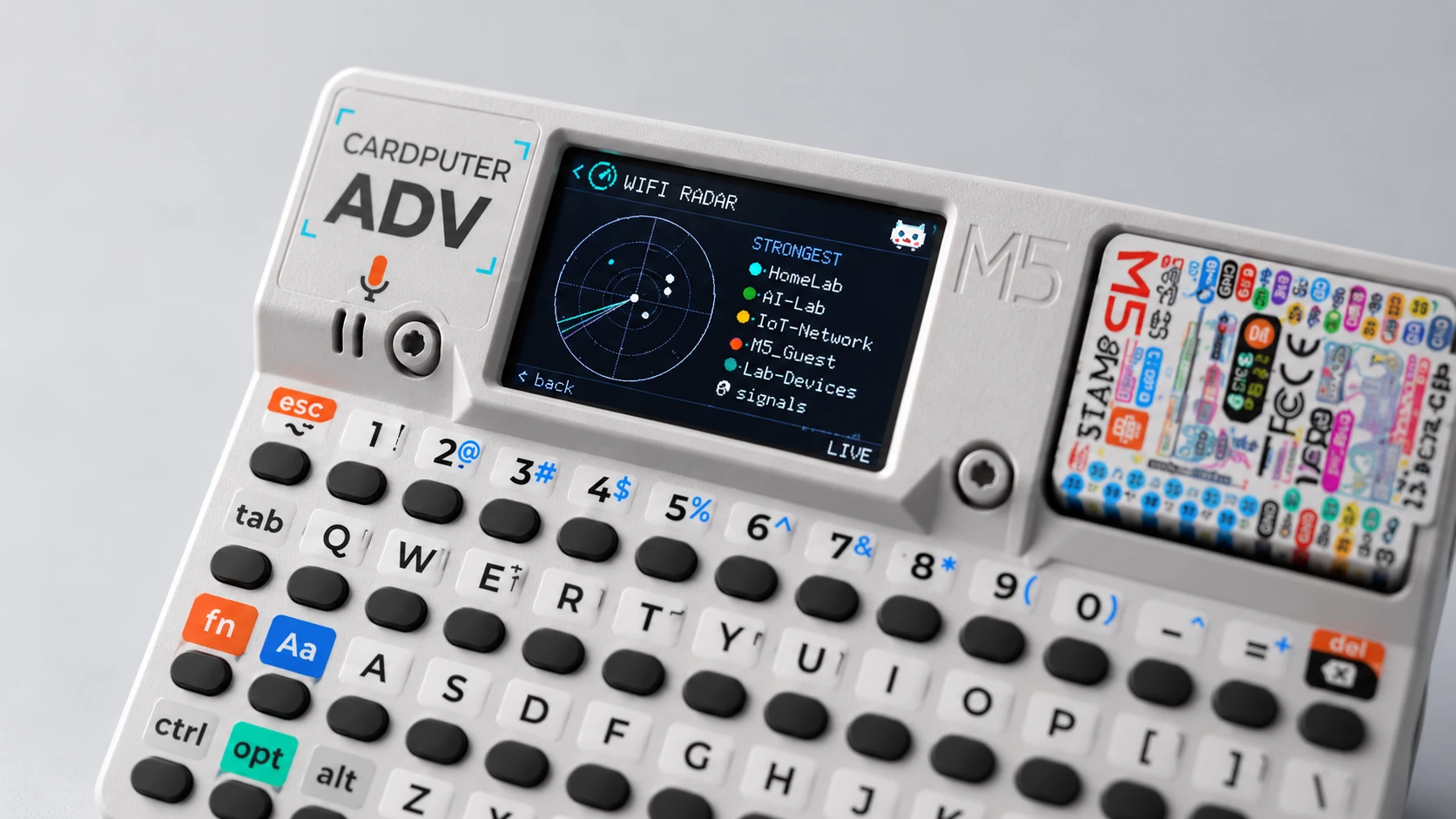
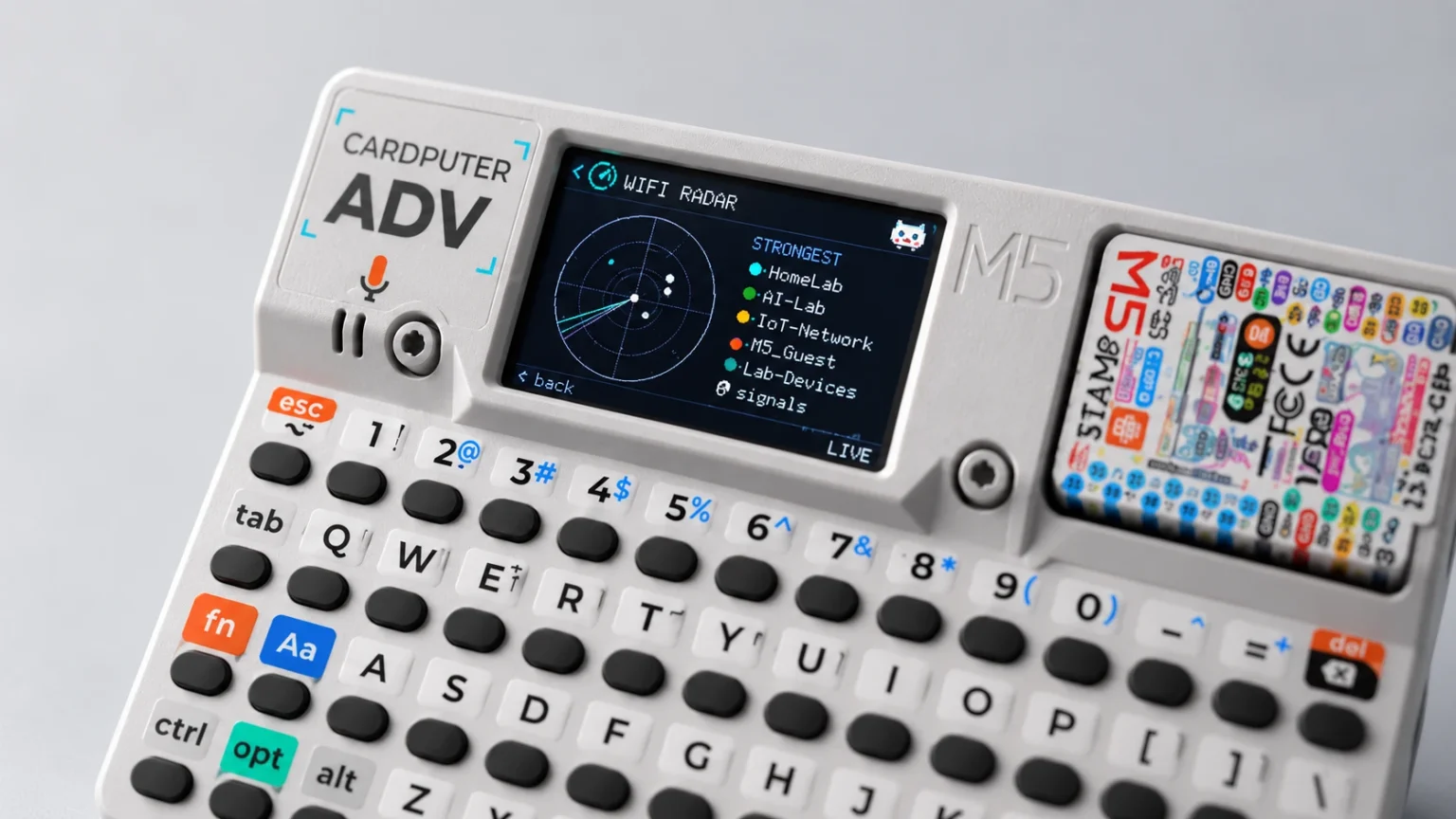
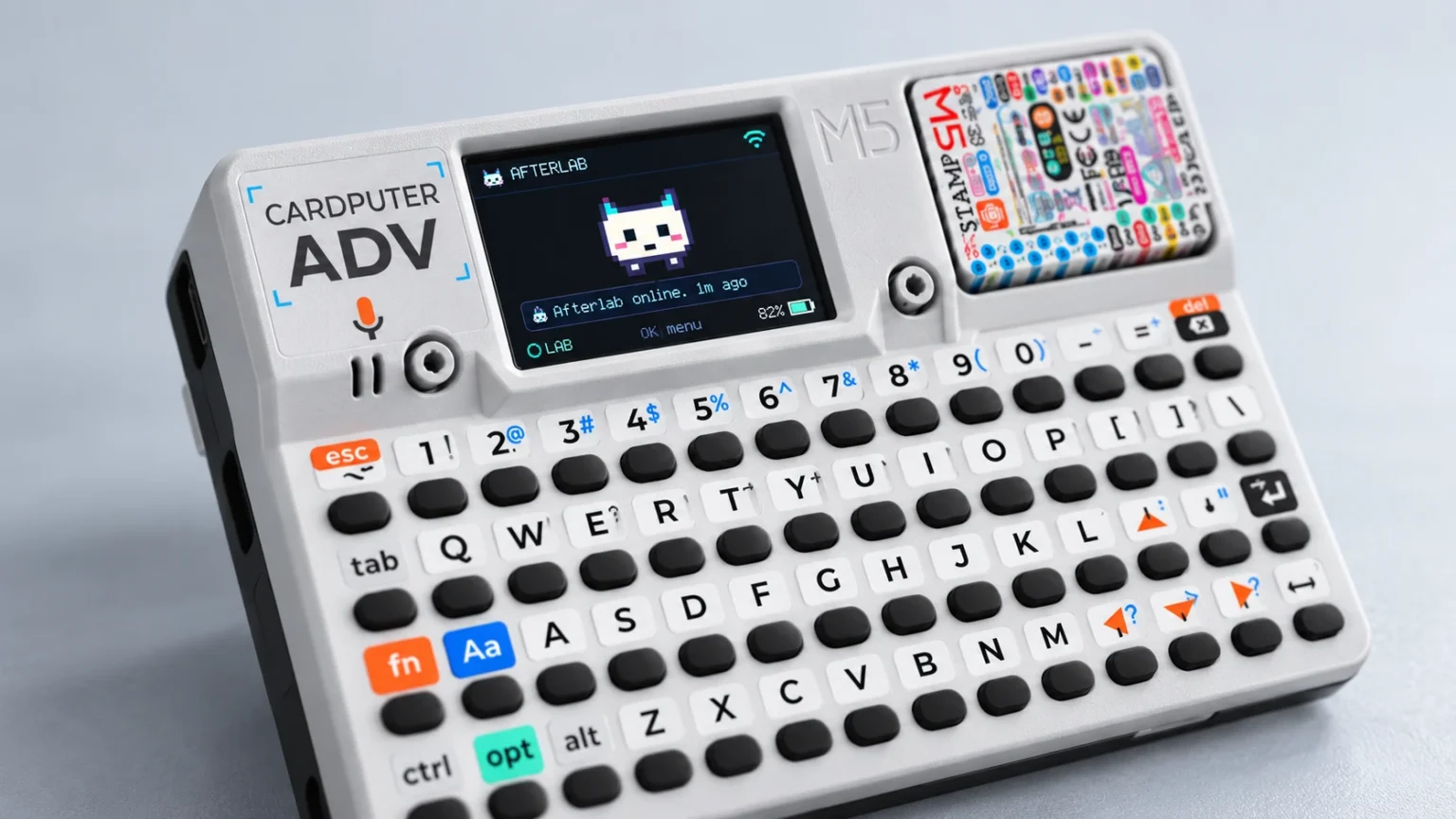
Afterlab ADV is a pocket-sized physical interface for Afterlab, built on the M5Stack Cardputer ADV.
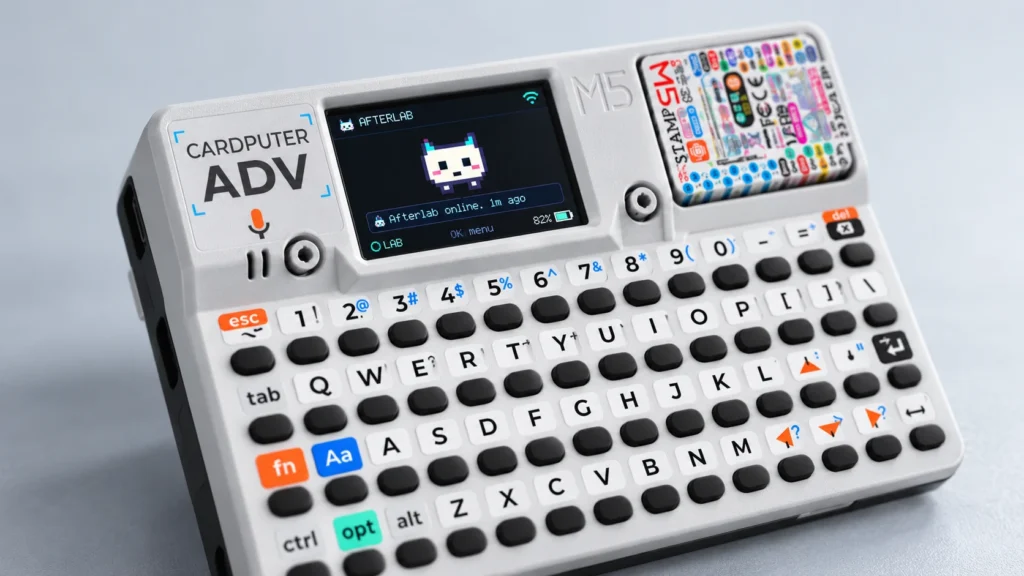
It gives Pixel a body you can carry. From one small keyboard-and-screen device you can check the lab, talk to Pixel, capture an idea into the Knowledge Vault, look at the radio space around you and use the hardware itself as a set of small instruments.
It started as an Afterlab layer on top of the Bruce firmware. That approach was dropped in version 0.3.0: since then the ADV runs its own native firmware, and Afterlab owns everything on screen, every state and every piece of hardware.
It is not a pentesting tool. Its radio features are for observation, diagnostics, discovery and controlling devices I own.
Purpose
Why it exists
Afterlab already had a web dashboard and fixed devices around the house, but talking to the system still meant sitting in front of another screen.
The Cardputer ADV packs a keyboard, display, microphone, speaker, RGB LED, IMU, Wi-Fi, Bluetooth, infrared and a microSD slot into something that fits in a pocket. That made a different question possible: what does a personal computer look like when the device, the software and the infrastructure behind it are all designed for the same ecosystem?
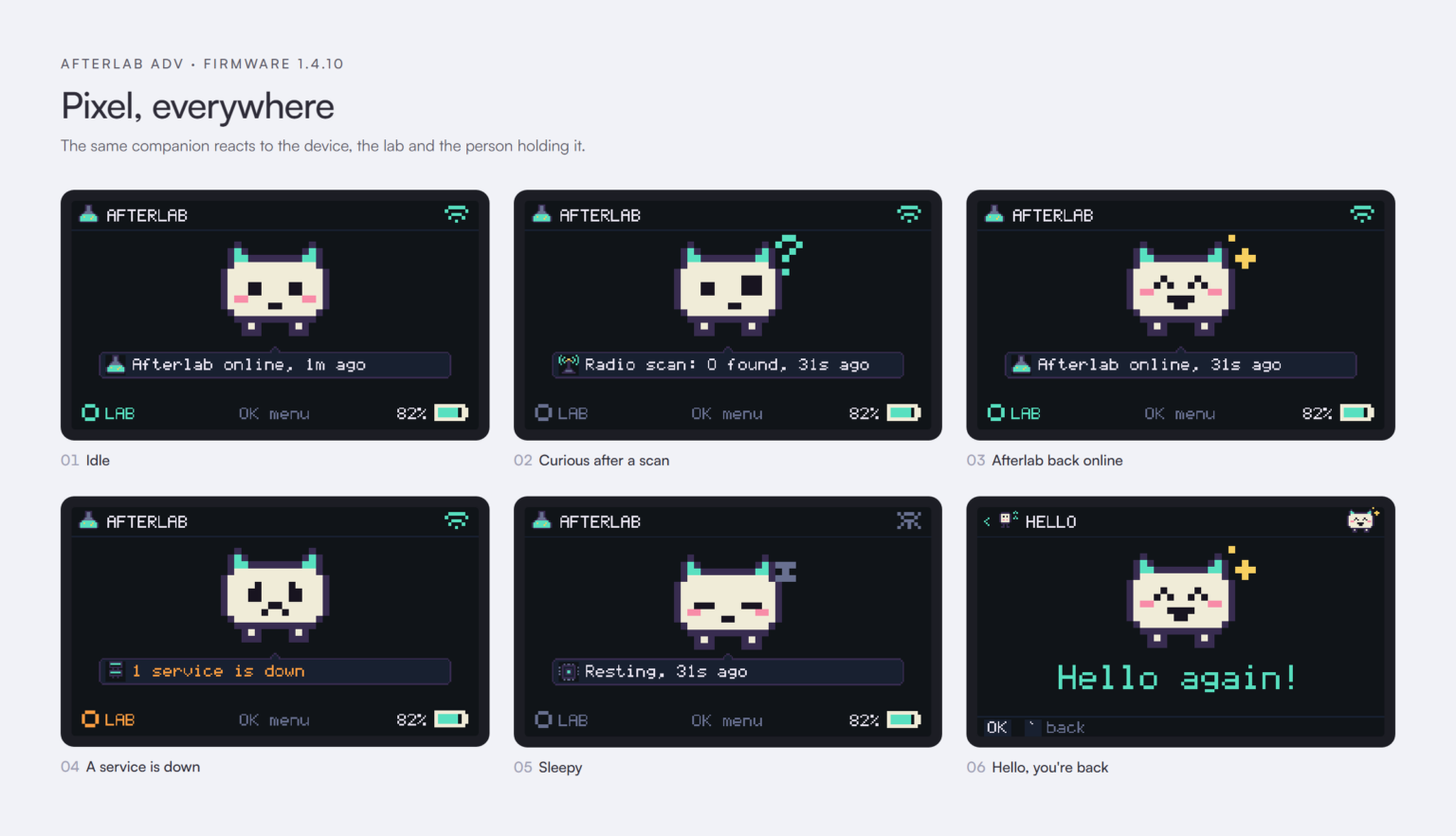
Pixel gives it a personality. Underneath, it is a practical tool: a way to reach the lab from anywhere, and a box of sensors that stays useful even when the lab is offline.
In numbers
The project at a glance
Main areas
Pocket tools and games
Lines of native C++
Days from first commit to 1.4.10
System
How it works
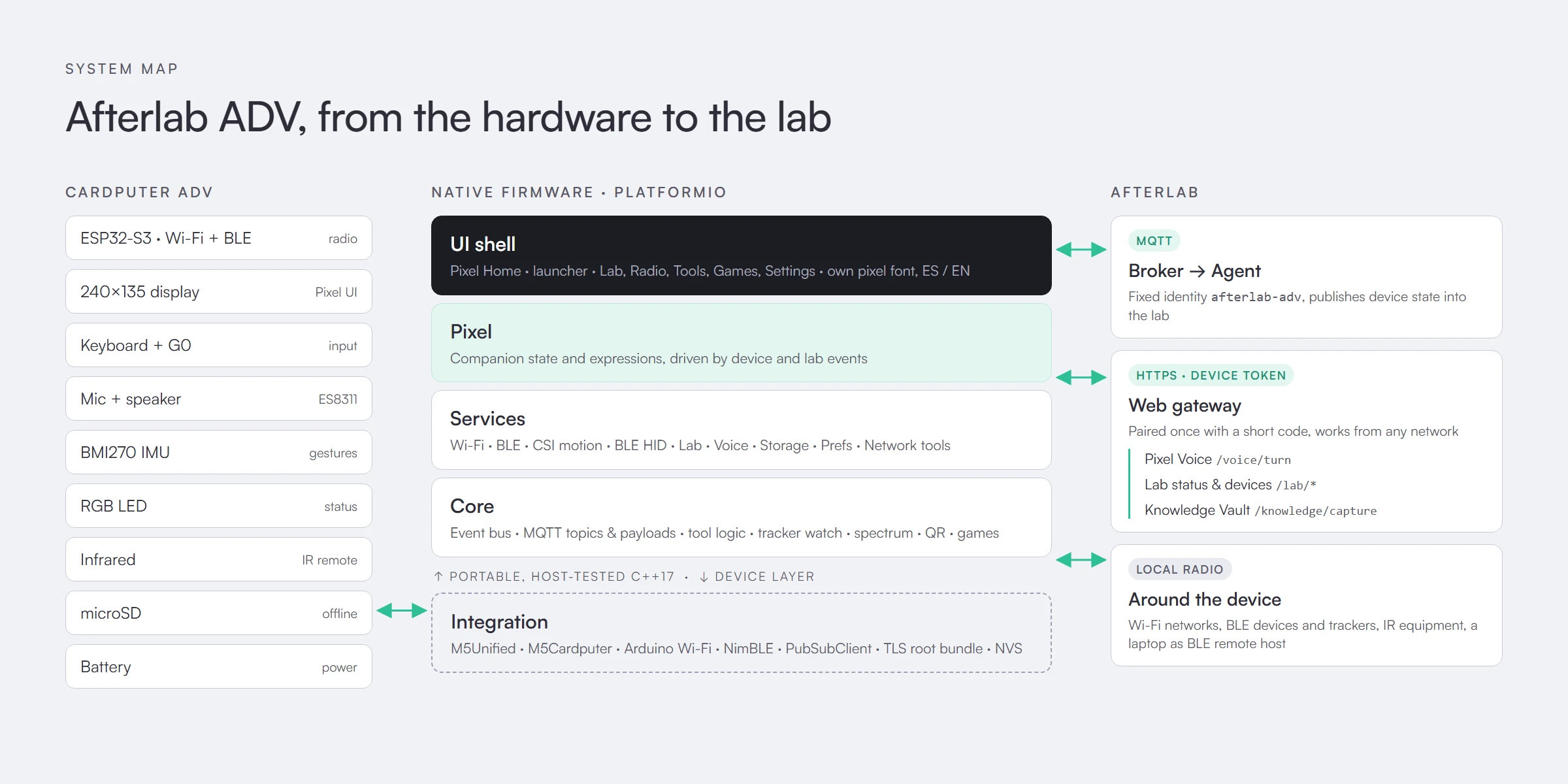
The firmware is a PlatformIO project written specifically for this device, around 28,000 lines of C++.
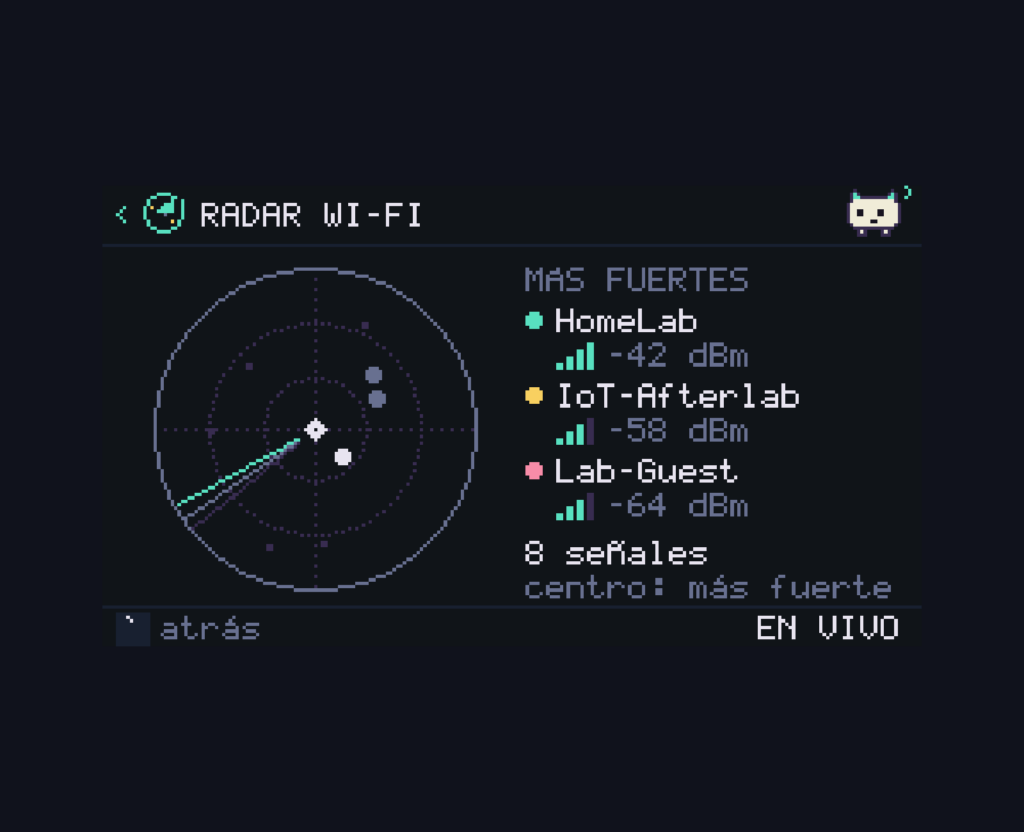
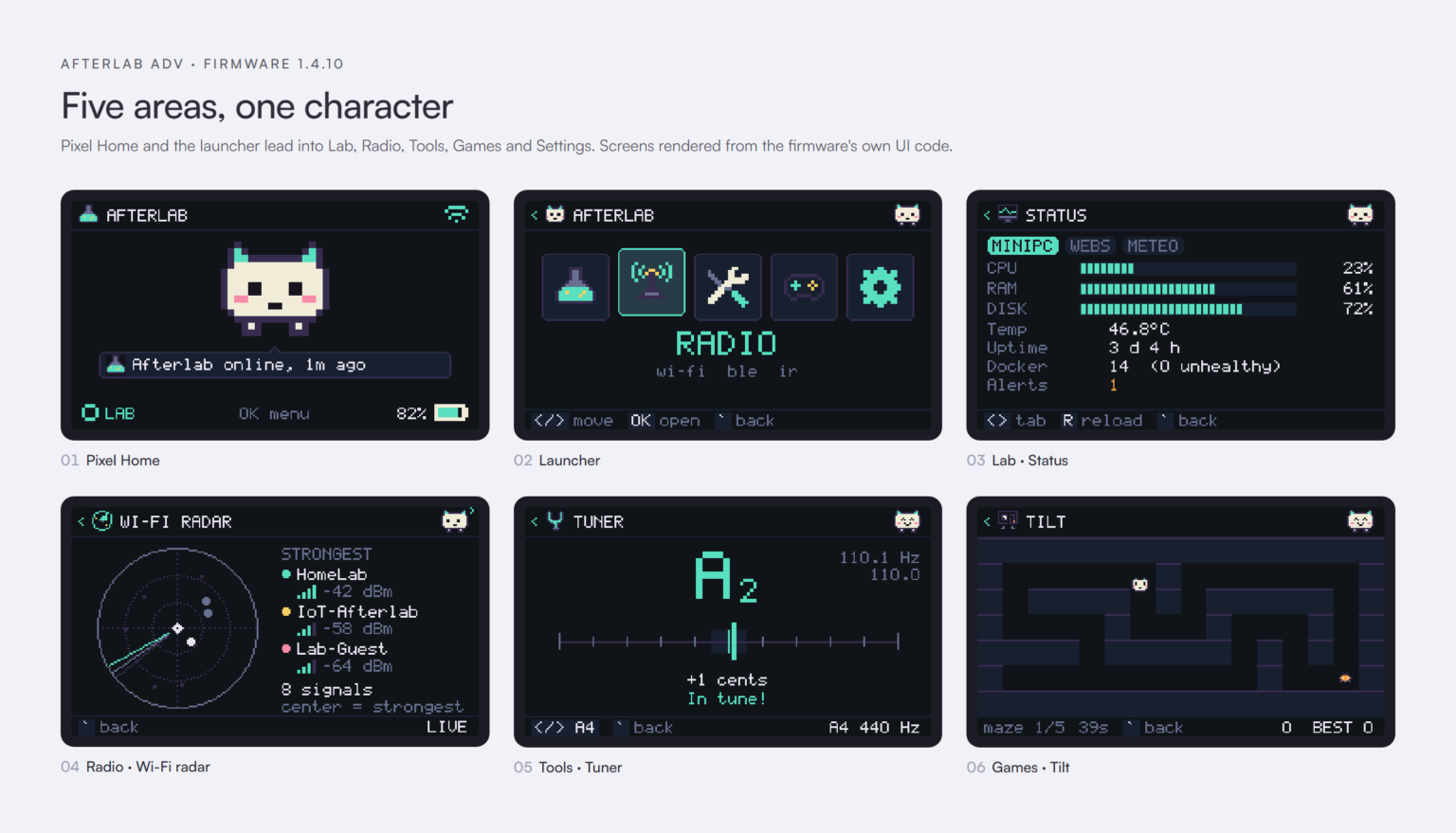
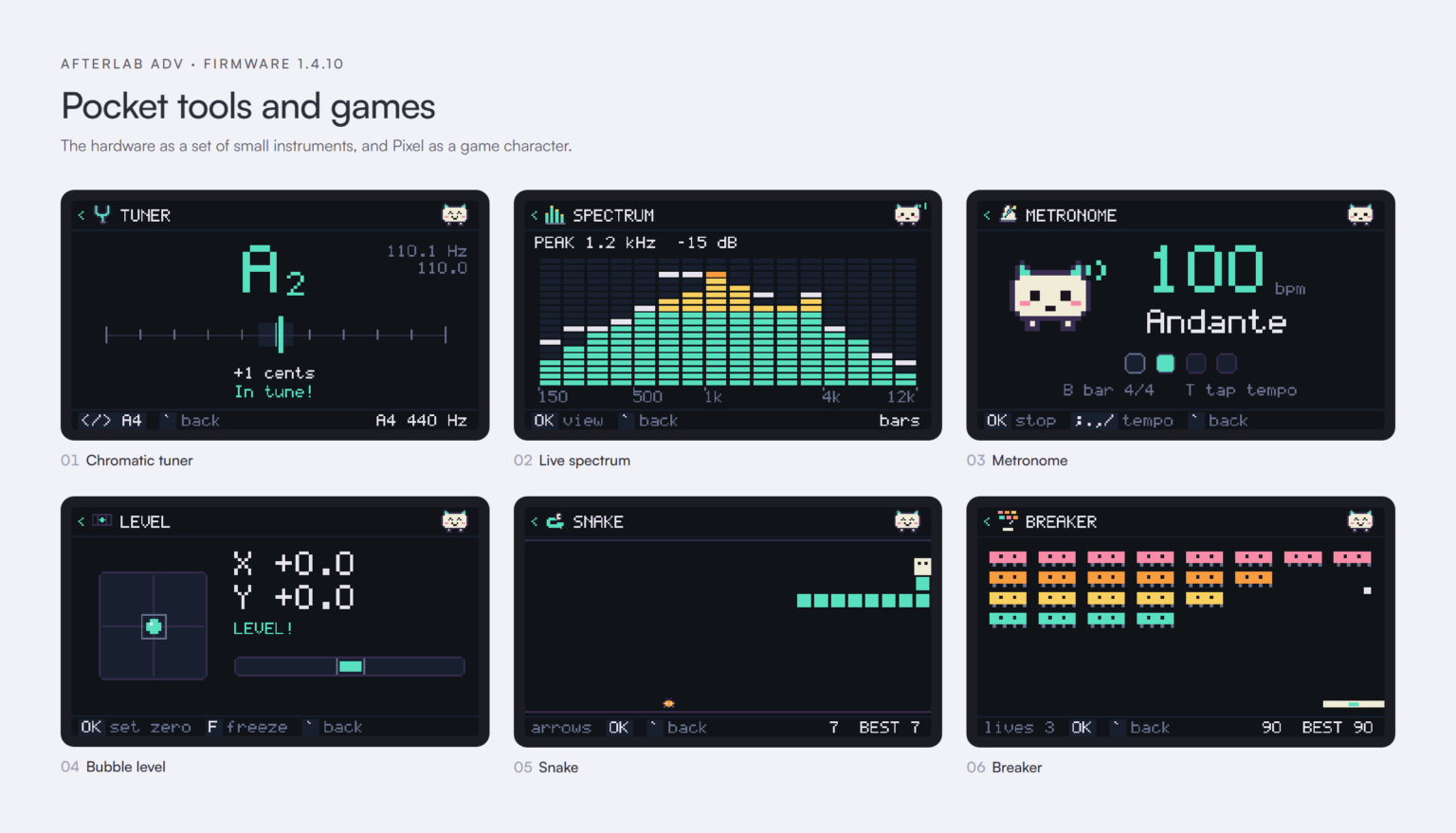
It is split in two. A portable part (core logic, Pixel, services and every screen) is plain C++17 that compiles and runs on a normal computer, where around 5,000 lines of host tests check it and a preview tool renders every screen to PNG. Below it, an integration layer talks to the real hardware through M5Unified, M5Cardputer, the Arduino Wi-Fi driver and NimBLE. The screens on this page come from that preview tool, drawn by the same code the device runs.
An internal event bus connects both halves. Wi-Fi drops, scans, lab alerts and voice turns become events; Pixel reacts to them on the home screen, the RGB LED and the speaker without any screen knowing about the others.
The ADV reaches Afterlab in two ways. Over MQTT it has a fixed identity, afterlab-adv, and publishes its state like any other lab device. Over HTTPS, through the Afterlab Web gateway, it calls the Agent for Pixel Voice, lab status, connected devices and Knowledge Vault captures. It is paired once with a short code from the web, receives its own revocable device token and keeps it only in internal storage, so it works the same at home or on any other network.
Everything else lives on the device: an IMU for gestures (lift to wake, shake for a shortcut, double twist for home, face down to sleep), a microSD card for offline notes, event logs and scan exports, and an interface that follows Pixel's language in Spanish or English with its own pixel font.
Architecture
System map
Outcome
Where it stands
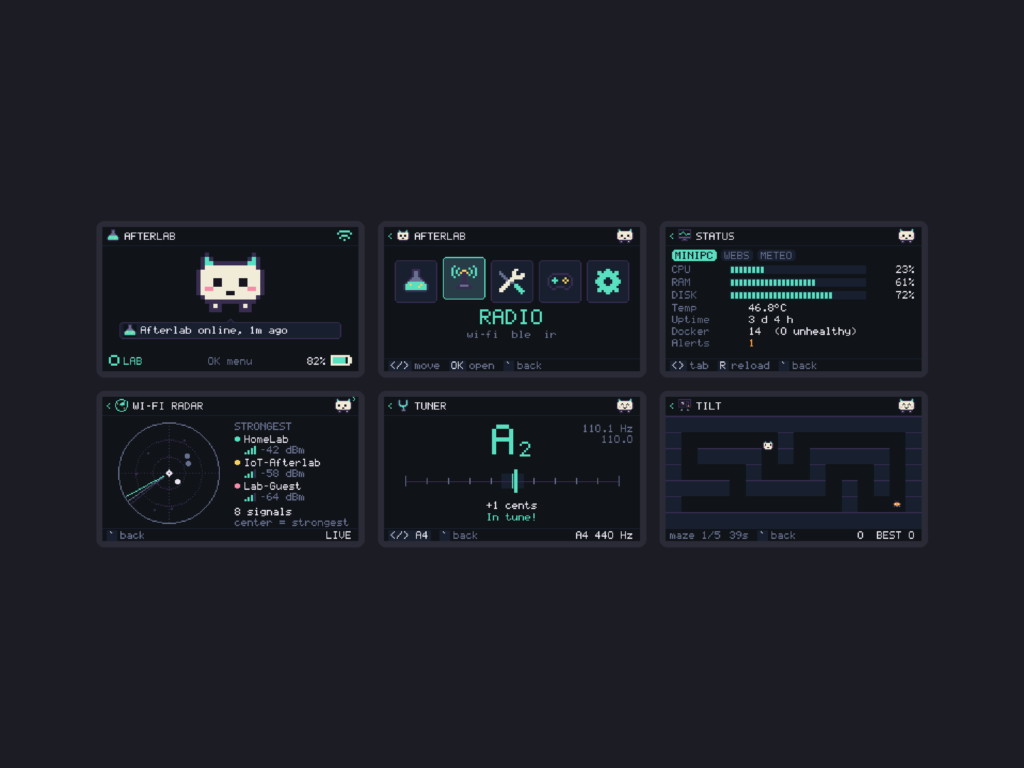
Version 1.4.10 is a complete handheld environment with five areas: Lab, Radio, Tools, Games and Settings.
Lab is Afterlab itself: MiniPC and web status, connected devices and their lights, quick notes to the Knowledge Vault, recent events, a watchlist of local hosts, a hot-and-cold finder for my own nodes, MQTT details and the microSD card. Notes can also be spoken: hold the button and say "note…" or "idea…", and it goes straight to the Vault.
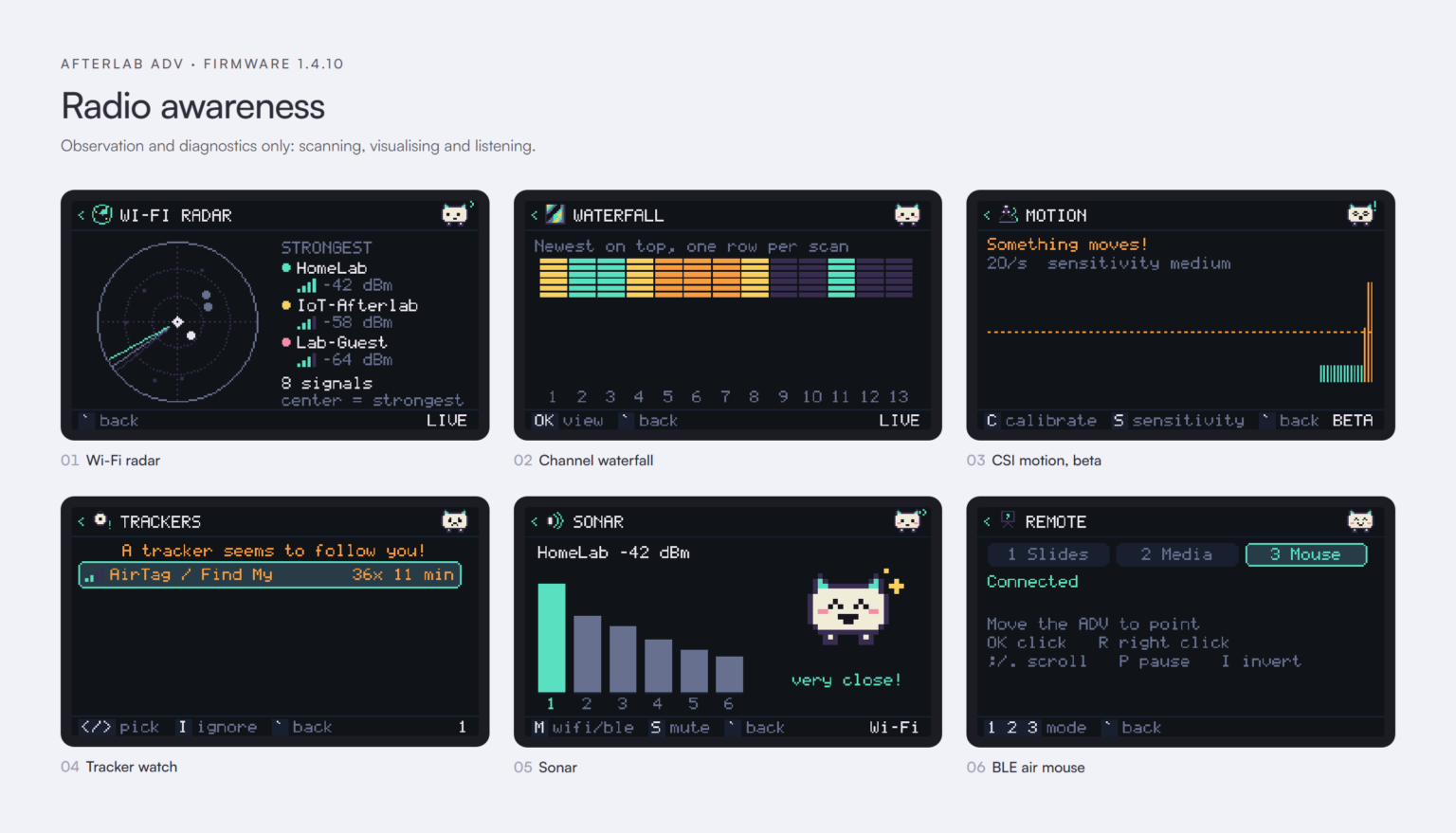
Radio looks and listens. Wi-Fi has scanning and joining, a radar, channel bars, a live waterfall, signal history, guest sharing with a QR code and an experimental motion detector that uses Wi-Fi CSI. Bluetooth has scanning, a radar, defensive tracker detection, a remote for slides, media or an air mouse, and Hello, which wakes the screen and has Pixel greet me when I come back to the desk. Infrared remote and Sonar, where nearby networks play as notes, complete the section.
Tools turns the hardware into instruments: timer, counters, metronome, chromatic tuner, tone generator, bubble level, sound meter, live spectrum, network diagnostics and a terminal. Games has Pixel Run, Snake, Simon, Breaker and Tilt, which use the speaker, LED and IMU as part of the play.
The latest releases are mostly about reliability on real hardware: joining any saved network at boot, recovering from a full settings store, freeing Bluetooth memory before secure lab requests, explaining exactly why the lab does not answer, and a compact certificate bundle so HTTPS no longer runs out of memory.
Gallery
Selected work
A closer look at the screens, details and the build in context. Open any image to see it full size.
Highlights
What it does
Afterlab ADV is less a portable dashboard than a small personal computer built for one ecosystem. Its value comes from joining what the system knows with what the Cardputer can physically sense and do.
-
Native firmware
Written from scratch since 0.3.0, with no Bruce runtime underneath
-
Pixel Voice
Hold a button, talk to Pixel and hear the answer, from any Wi-Fi network
-
Lab in your pocket
Infrastructure, devices and services without opening Mission Control
-
Knowledge capture
Typed or spoken ideas go straight into the Knowledge Vault
-
Radio awareness
Wi-Fi and Bluetooth radars, signal analysis, tracker watch and experimental motion sensing
-
Physical interaction
Keyboard, microphone, speaker, RGB LED, infrared and IMU are all part of the interface
-
Offline-first
microSD queues notes and logs, and syncs them when the connection returns
-
Tested off the device
The portable core runs host tests and renders every screen to PNG on a computer
-
Privacy by default
Tokens never appear on screen, secrets never touch the card, audio tools record nothing
-
System integration
A paired, revocable Afterlab device, not an external remote control
Evolution
How it grew
The key milestones, from the first idea to where the project stands today.
-
26 Sep 2026
Bruce-based prototype
Afterlab runs as a layer on top of the Bruce firmware
-
28 Sep 2026
0.3.0 · Native firmware
Bruce is removed; Afterlab owns the whole device, with pairing and Pixel Voice through the Web gateway
-
28 Sep 2026
0.4–0.6
First lab tools, IR remote, pixel font and home bubble, RGB LED and a Spanish-speaking Pixel
-
28 Sep 2026
0.7–0.9
Knowledge Vault capture, the whole UI in Pixel's language, live radars, spectrum and waterfall
-
28 Sep 2026
1.0
IMU gestures, microSD storage and direct Lab Status and Devices make the ADV a real Afterlab endpoint
-
29 Sep 2026
1.1–1.2
Games section and more instruments: tuner, tone generator and counters
-
29 Sep 2026
1.3–1.4
Tracker watch, Wi-Fi sharing by QR, Sonar, Wi-Fi motion sensing, Bluetooth remote and Pixel Hello
-
2 Oct 2026
1.4.10
Wi-Fi, storage, memory and TLS handling hardened through testing on the device
Technical foundation
Tools & stack
Device Messaging
- MQTT
Embedded Hardware
- ESP32
Hardware
- C++
- M5Stack
- NimBLE
- PlatformIO
Next
What comes next
The next stage is less about adding features and more about context.
The ADV already knows the lab state, Pixel's mood, the network it is on, the devices around it and how it is being held. The interesting work is connecting those signals so Pixel can bring up the right information or action at the right moment, without turning a small screen into a crowded dashboard.
The goal stays the same: a small physical interface that feels native to Afterlab, useful on its own and increasingly aware of the system around it.