Project
Neura
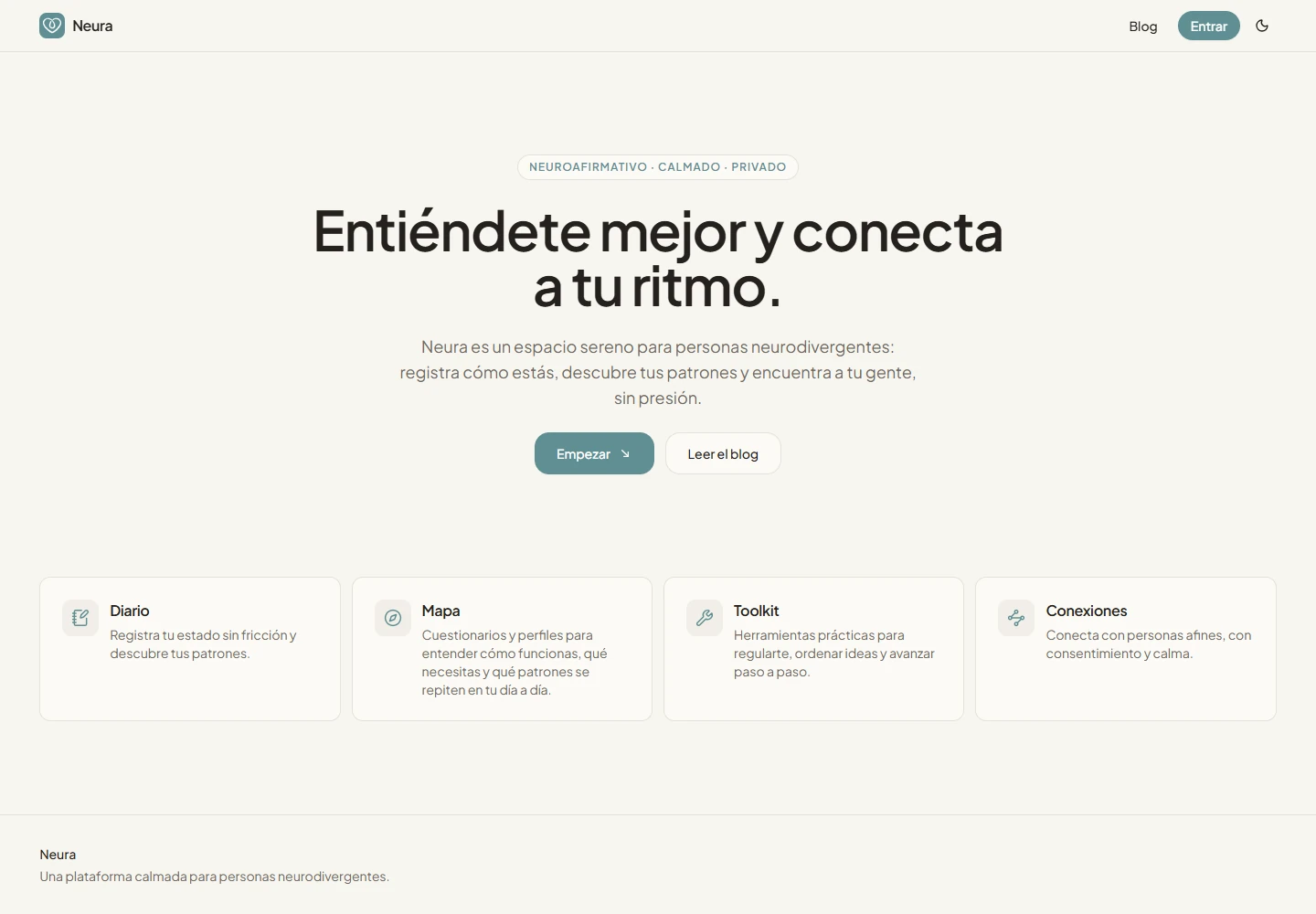
A calm digital space for neurodivergent people, connecting self-knowledge, practical tools and community through a modular experience that works without AI.
Paused
- Type
- Digital product / neurodiversity
- Role
- Product design & development
- Context
- Personal project
- Duration
- 2026–Ongoing
The brief
A place to understand yourself, at your own pace
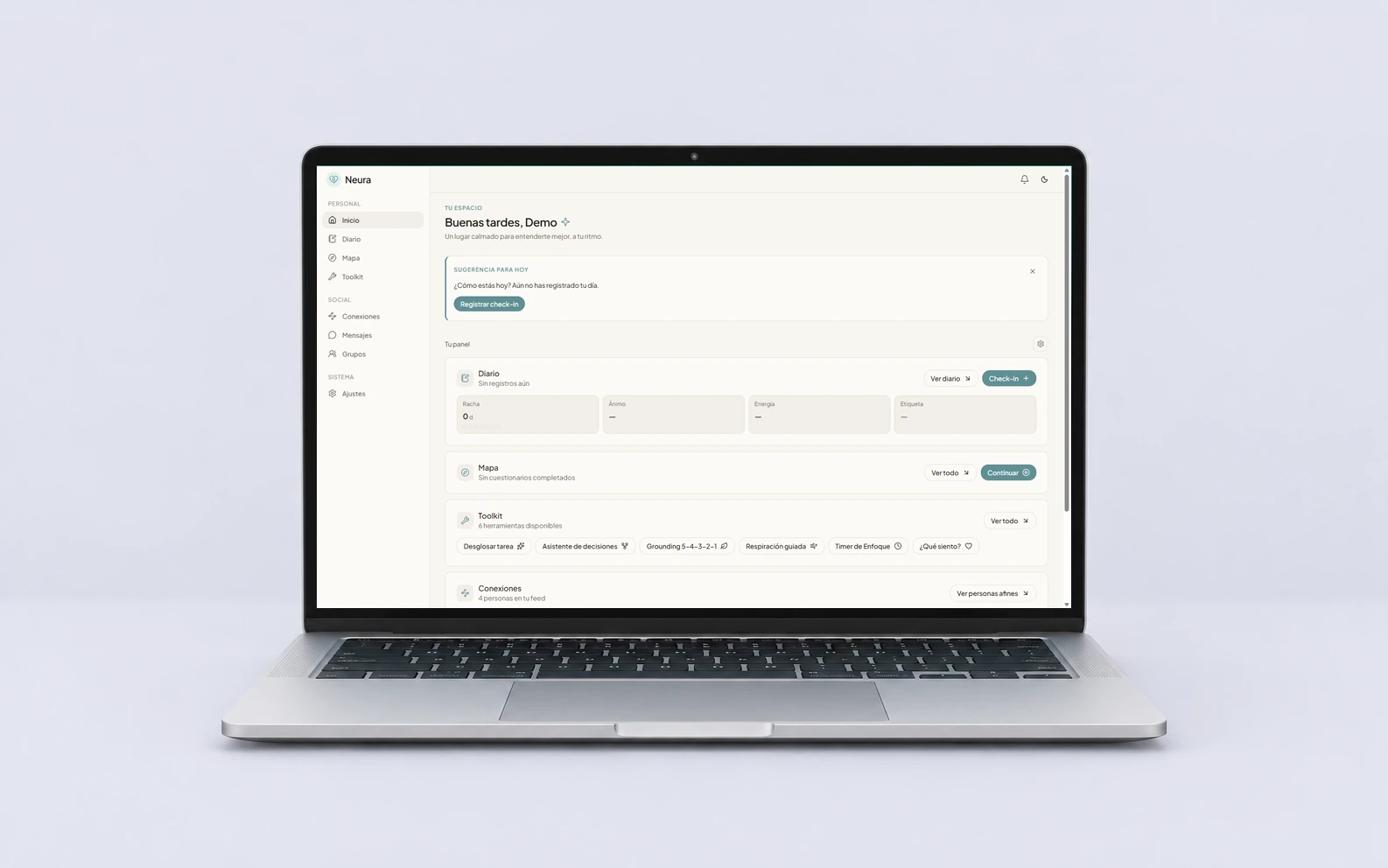
I am building Neura as a digital space for neurodivergent people: somewhere to notice everyday patterns, find a useful tool and connect with others without having to navigate everything at once.
The product brings a journal, a self-knowledge map, a practical toolkit and a social layer into one modular home. I work across the product, interface and implementation, with a simple constraint: the core experience has to remain useful without an AI model.
Purpose
Support should not become another demand
The starting point was a design question: how can a space offer support without adding more cognitive load? Moving between a diary, questionnaires, timers and separate communities makes it easy to lose context. Gathering them in one app only helps if the result stays manageable.
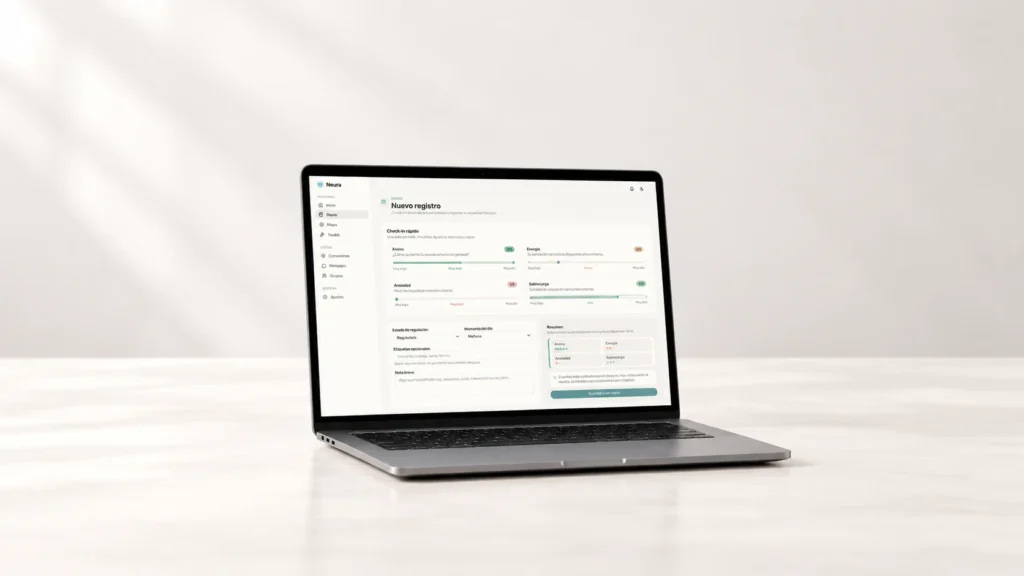
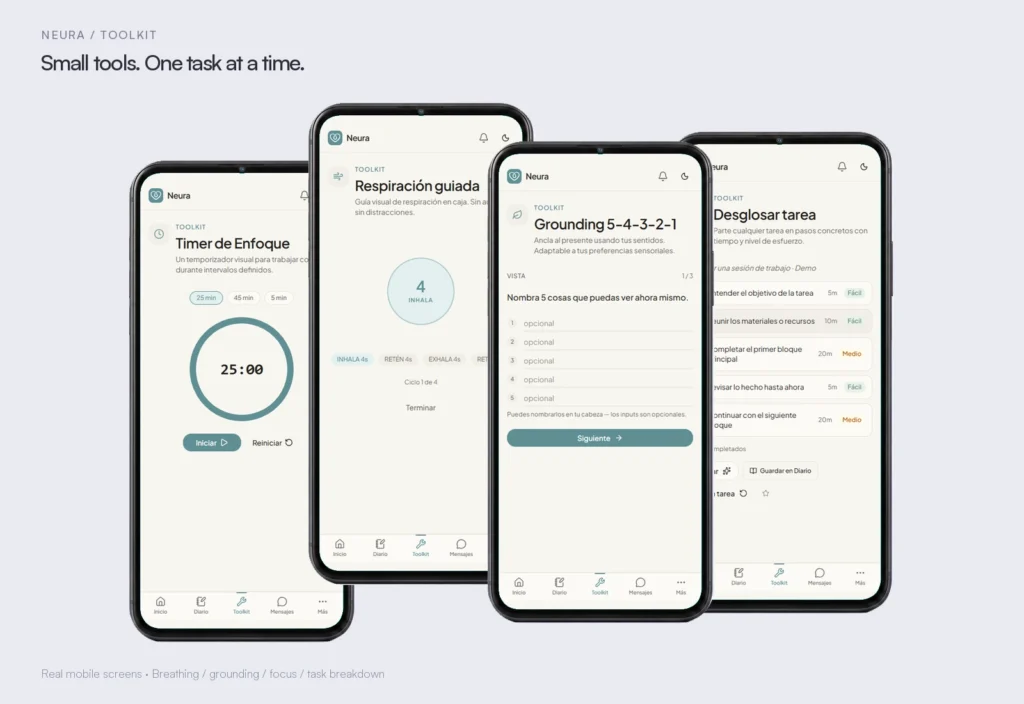
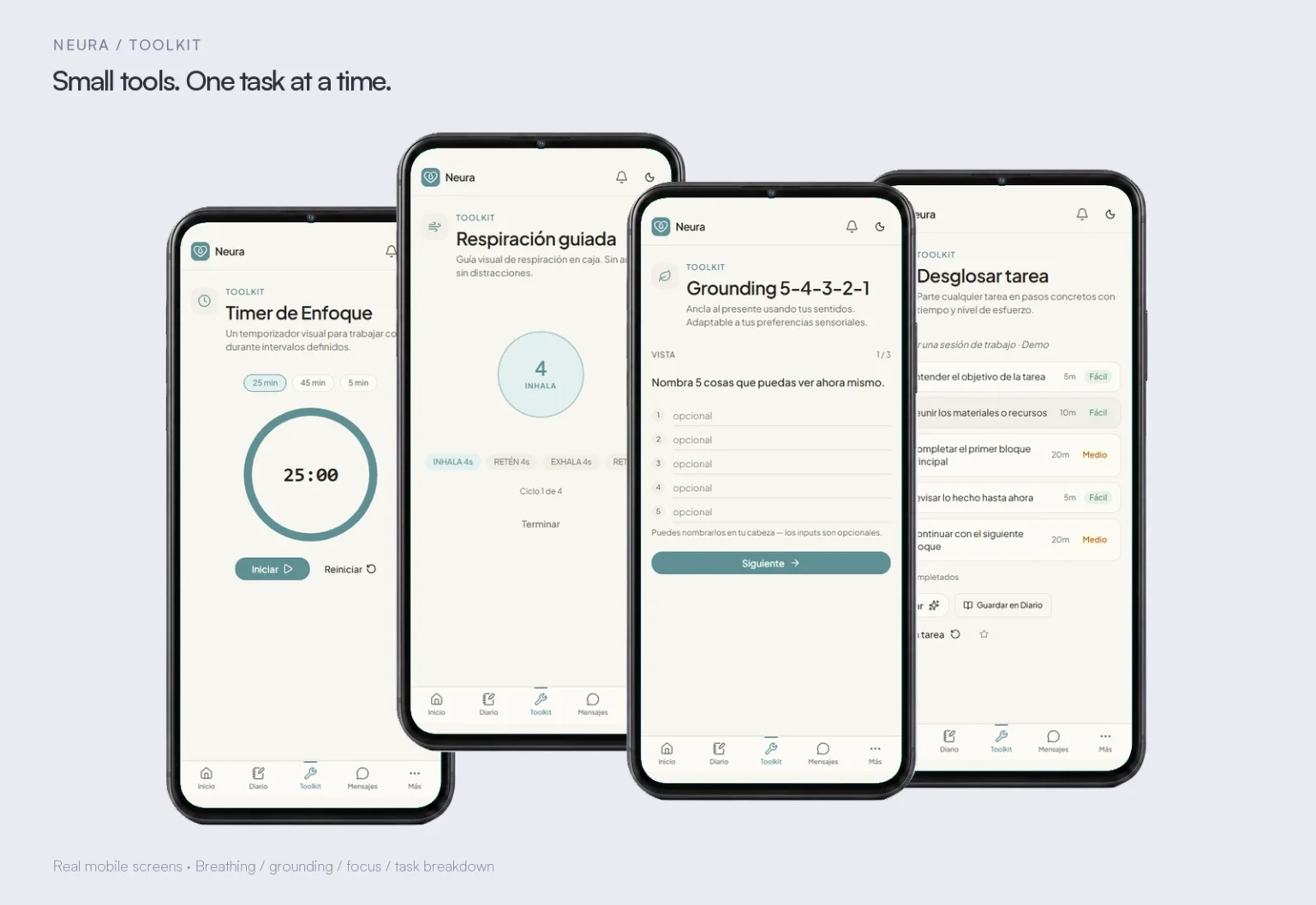
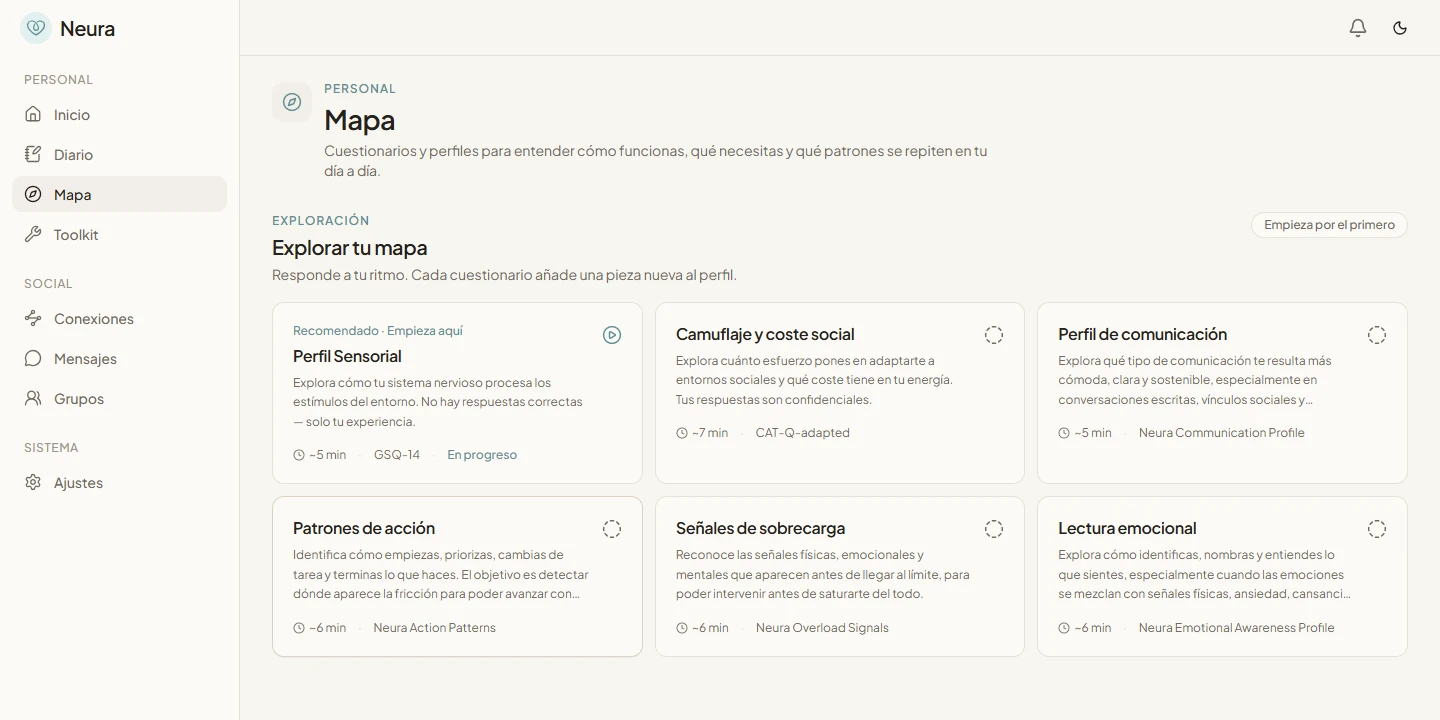
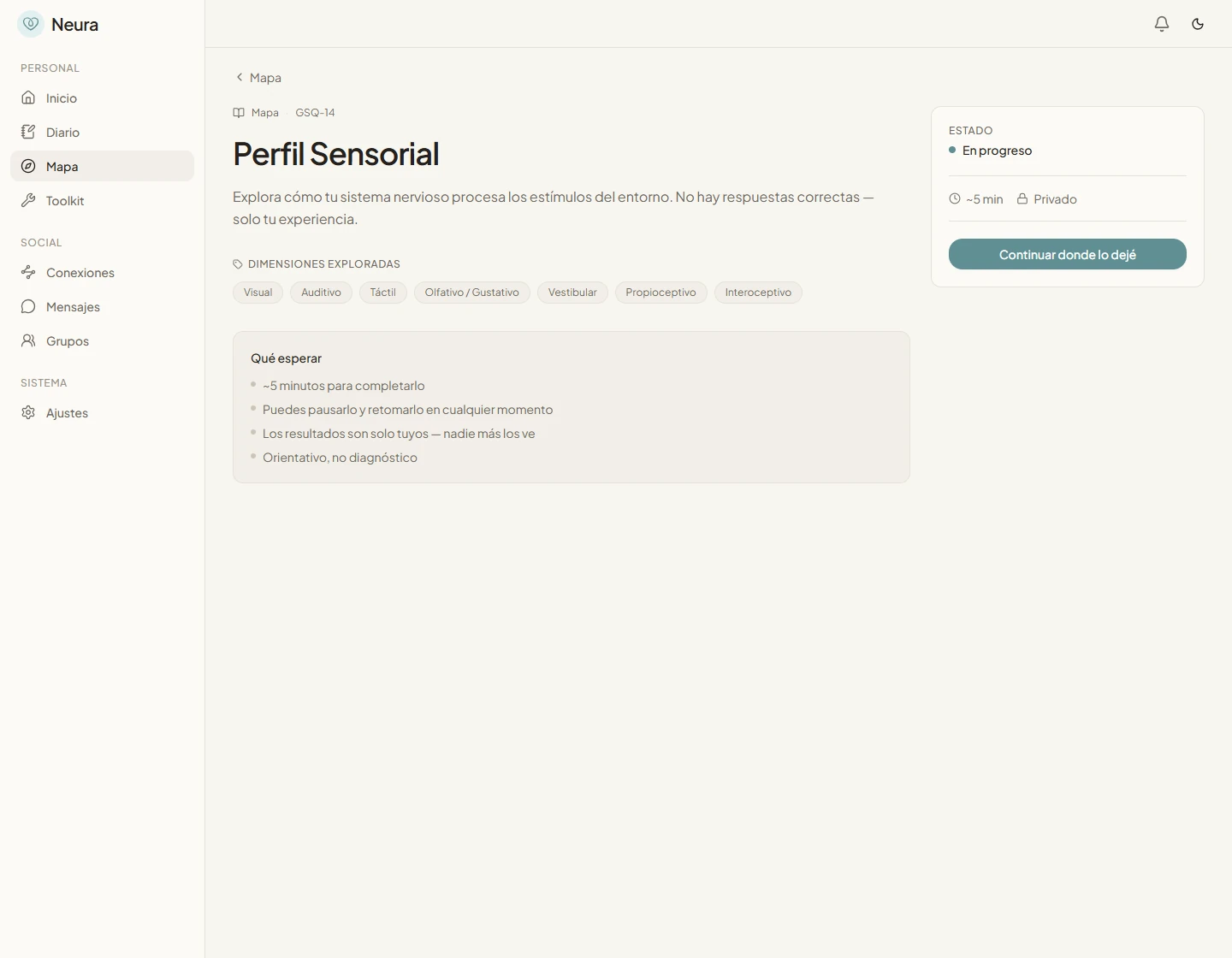
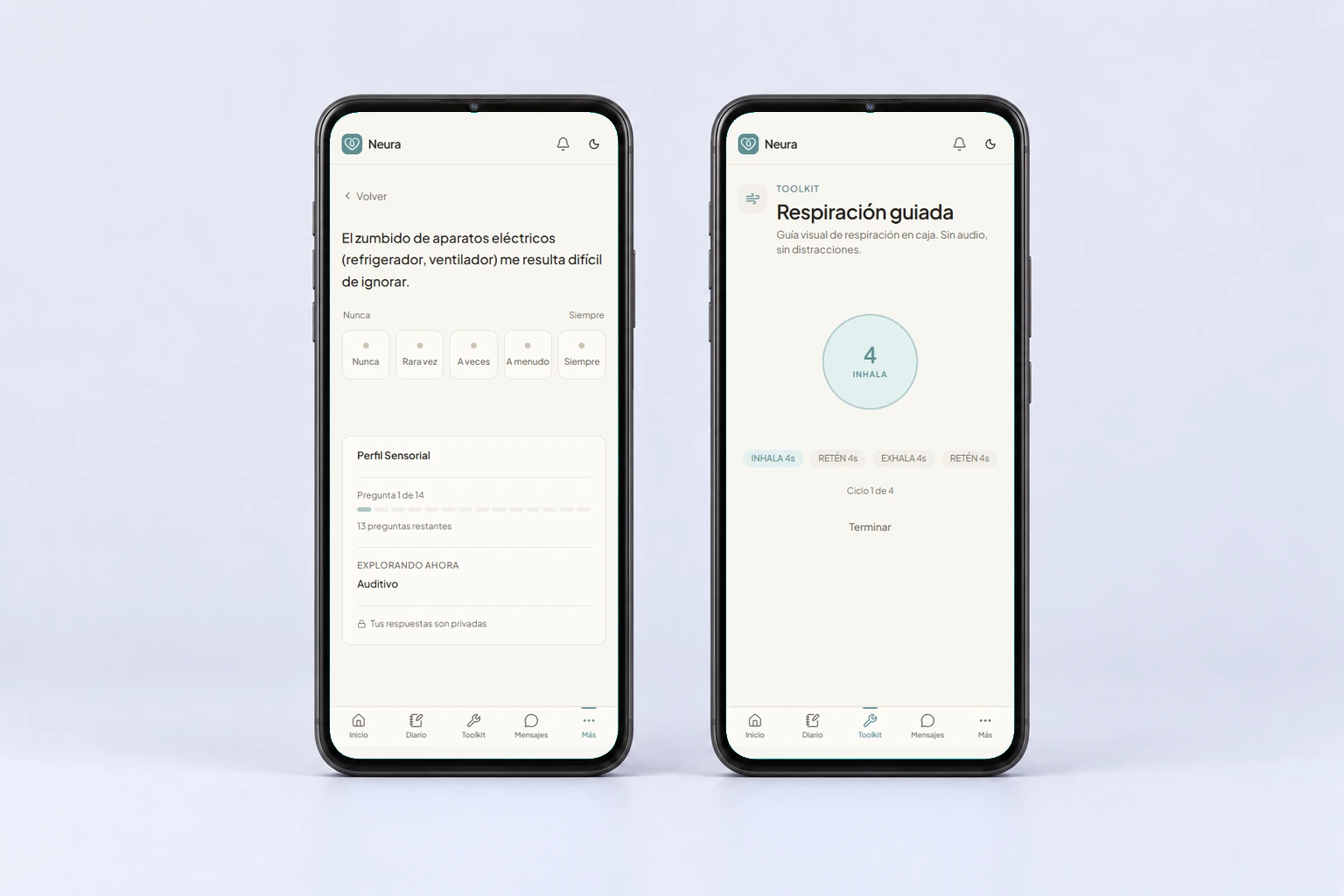
I chose warm surfaces, restrained colour and clear next steps. A check-in uses four visible controls; a questionnaire focuses on one question at a time; a tool has a bounded task. On mobile, the main destinations remain close, while secondary navigation stays behind a separate menu.
Privacy is part of that interaction model. Journal entries and questionnaire results sit behind user-scoped access policies. The community uses a separate profile, with visibility controls and selected profile blocks to share. A personal map does not need to become a public identity.
System
Independent modules, useful connections
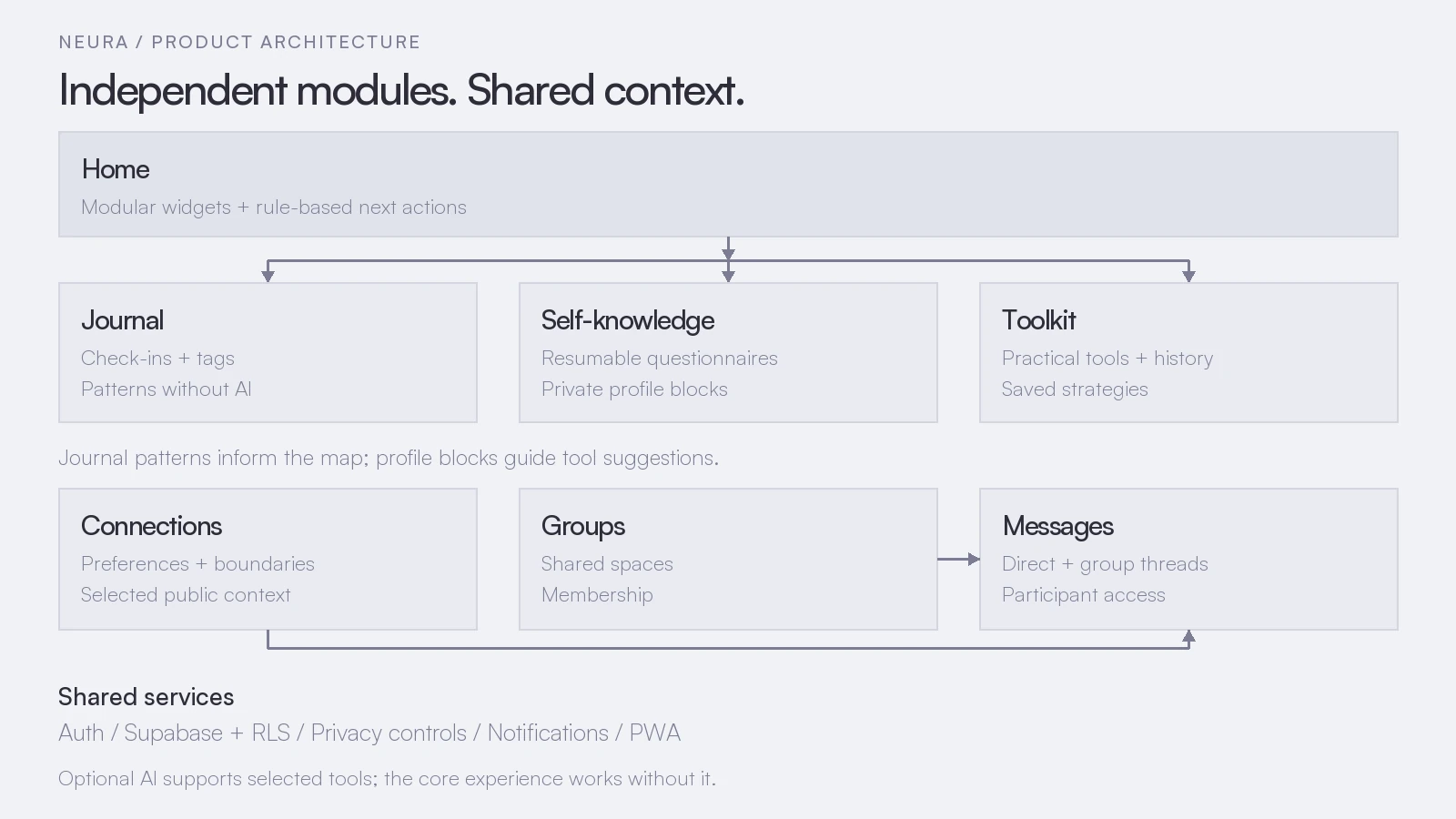
Neura uses Next.js, React and Supabase, with a module registry that connects routes, navigation and home widgets. The home can show or hide widgets, and its next-step suggestions use explicit rules rather than model-generated advice.
The personal side has continuity. Journal check-ins record mood, energy, anxiety, overload and optional context. Local calculations surface patterns; questionnaires build readable profile blocks; those blocks inform tool suggestions. Tool history and saved strategies keep something useful from disappearing after one session, and tool output can become a journal note.
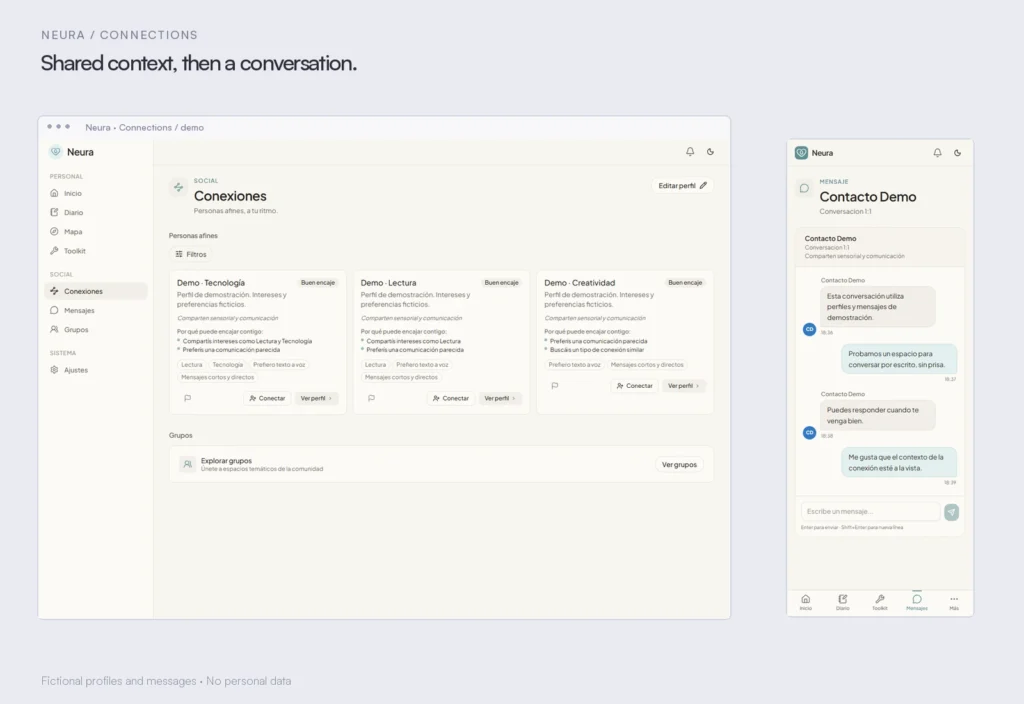
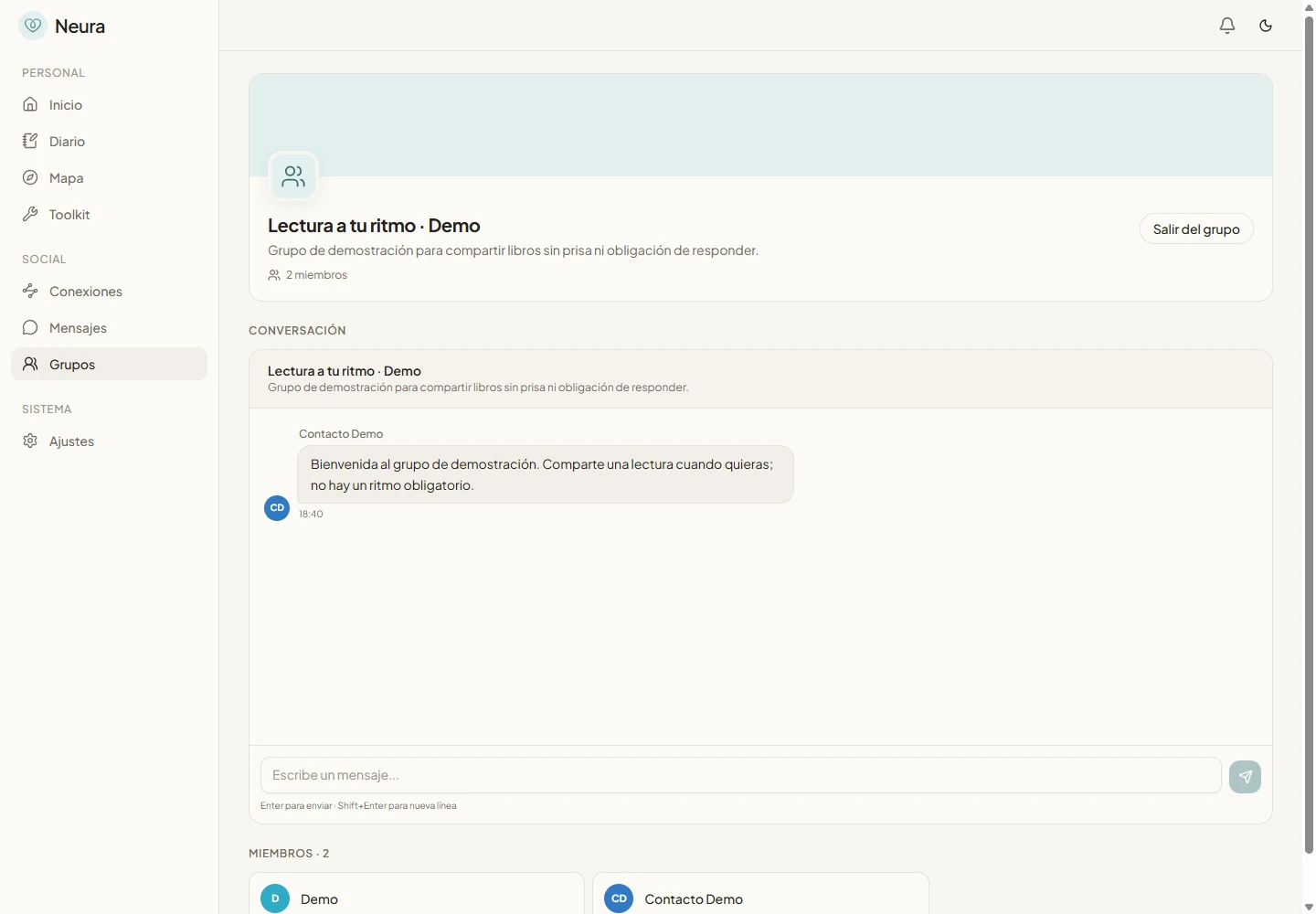
The social side starts with interests, communication preferences and boundaries. Affinity explanations make the connection less opaque. Accepted connections lead to direct conversations; groups have their own membership and message threads. Realtime subscriptions update conversations, while database policies limit message access to participants.
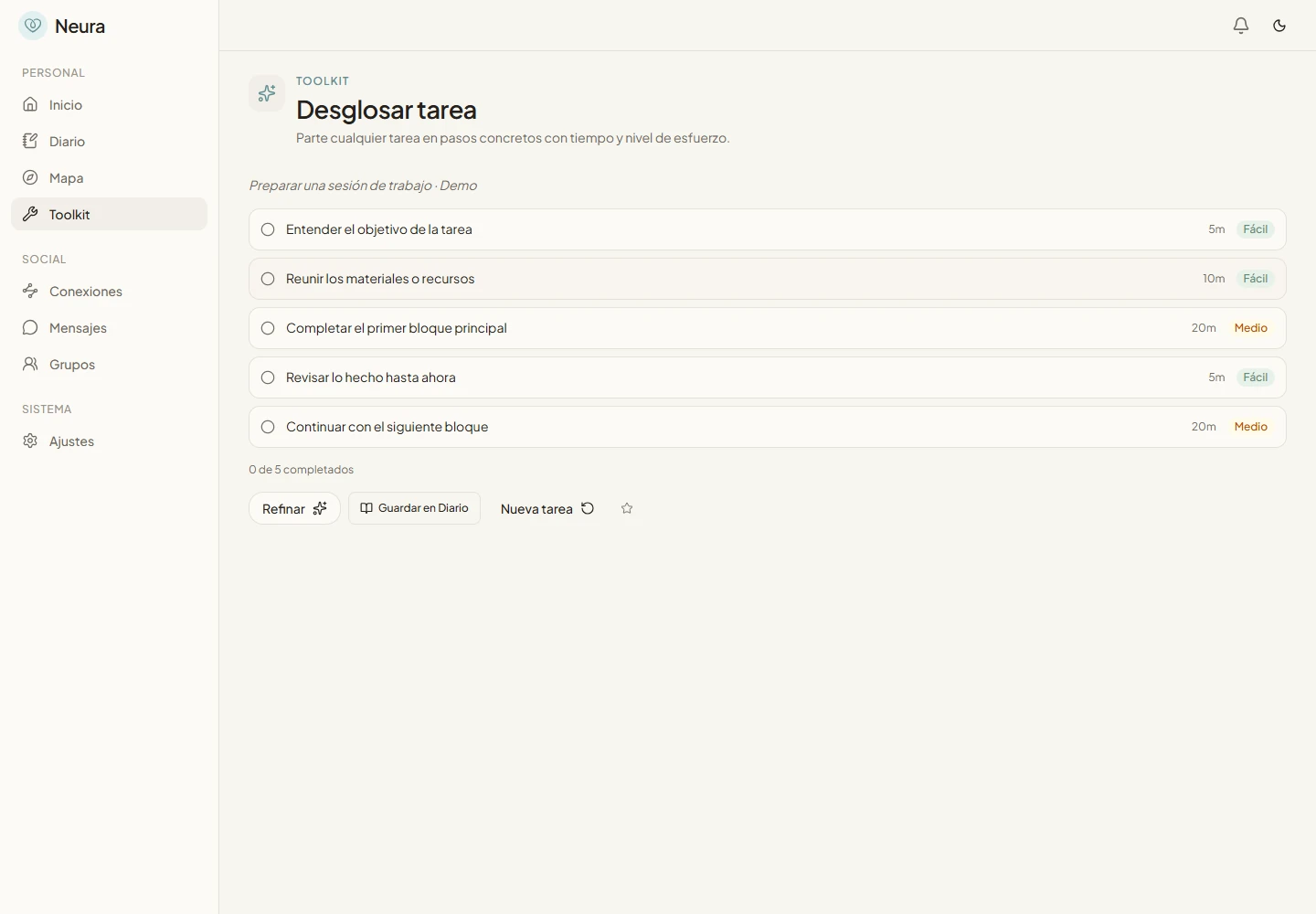
AI sits at the edge of the system. Selected planning tools can use a provider, but task breakdown also has a deterministic fallback. Check-ins, questionnaires, local tools and the community do not need a model to work.
Architecture
System map
Outcome
A working product, still finding its shape
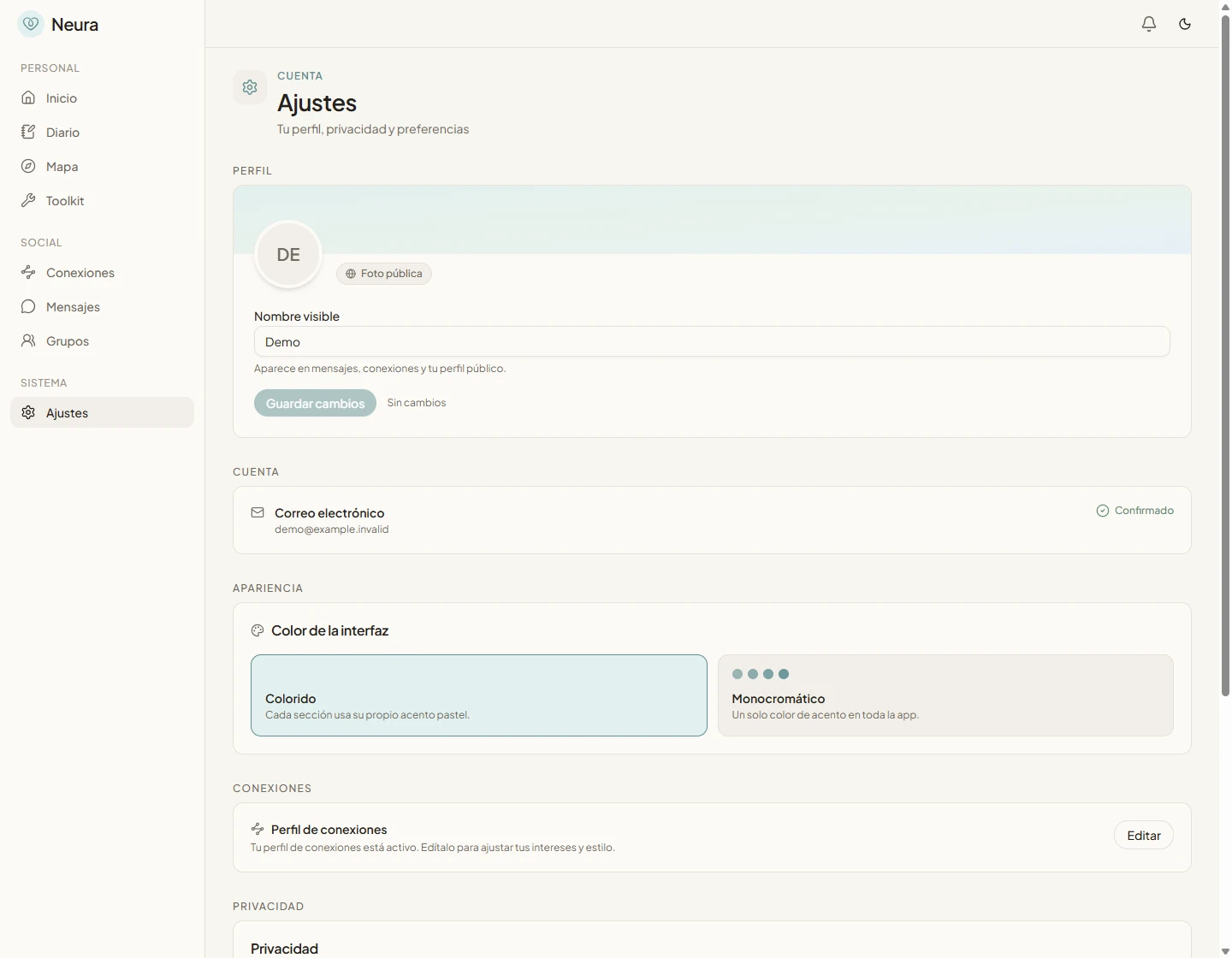
The current build contains the journal, resumable questionnaires, six practical tools, configurable home widgets, connection requests, groups and direct and group messaging. It also includes a PWA manifest, service-worker and push-notification infrastructure. The screenshots show the actual desktop and mobile interface using fictional local profiles and messages.
The interesting part for me is how these pieces meet: a pattern can inform a tool, and a conversation can carry shared context without exposing every private answer. That continuity is implemented, but the experience still needs refinement.
This remains active development. I am treating accessibility, privacy boundaries, small-screen interactions and reliable transitions between modules as ongoing work. The local capture session exercised the UI and the task-breakdown fallback; it did not validate live Supabase realtime delivery, production offline behaviour or push delivery.
Gallery
Selected work
A closer look at the screens, details and the build in context. Open any image to see it full size.
Highlights
What it does
The decisions that shape Neura are mostly about how much the product asks of someone, and how much control it gives back.
-
Calm, bounded interactions
A check-in, one questionnaire question or one practical tool gives each screen a clear job. Visual restraint supports that focus.
-
Modularity with continuity
Independent features share a home, while journal patterns, profile blocks and saved strategies connect the experience.
-
A perspective from within
I approached the product from lived experience, with different rhythms, sensory preferences and communication needs built into the design decisions.
-
Private and shared context
Personal records use user-scoped access. Community visibility and selected public blocks create a deliberate boundary around what is shared.
-
AI as an enhancement
Local tools and deterministic calculations support the core. The task-breakdown fallback keeps that tool usable without a provider.
-
A social layer with context
Interests, communication preferences, groups and participant-scoped messaging make connection part of the product rather than an external add-on.
Technical foundation
Tools & stack
AI & Models
- Gemini
- OpenAI
Database
- Supabase
Data Layer
- TanStack Query
Design System
- Tailwind CSS
Developement
- Next.js
Frontend
- TypeScript
- Vitest
Web Design
- React
Next
Make the connections feel lighter
The next work is to refine the movement between journal, map, tools and conversations, and to keep checking how the PWA behaves on small screens. More functionality only earns its place if the experience stays calm and understandable.