Project
Pixel Voice Assistant
A touchscreen desk companion that brings voice interaction, live lab context and a glanceable interface to Afterlab.
Active development
- Type
- Embedded voice interface / native firmware
- Role
- Character design, firmware development & system integration
- Context
- Personal project
- Duration
- 2026-Ongoing
The brief
What it is
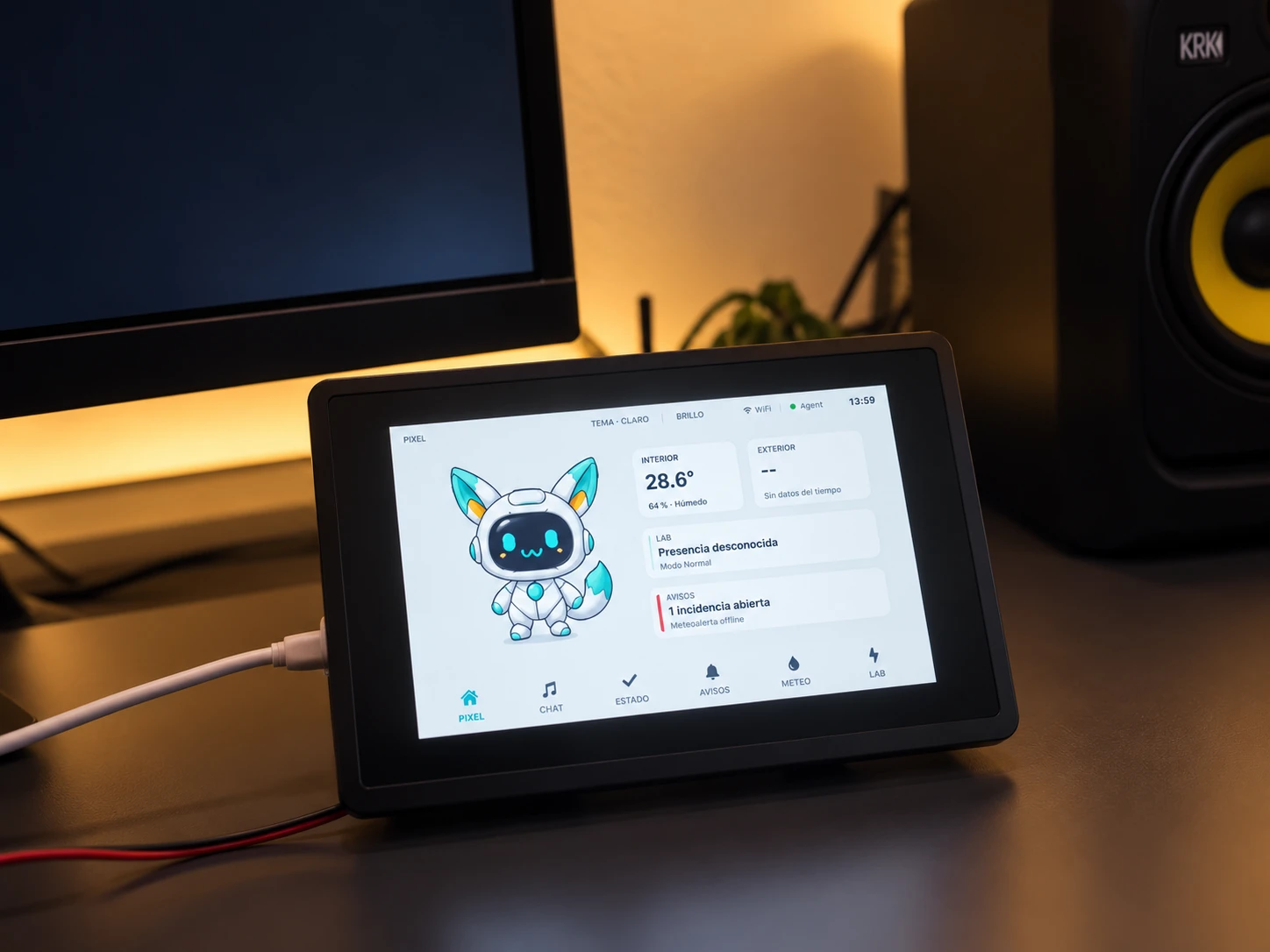
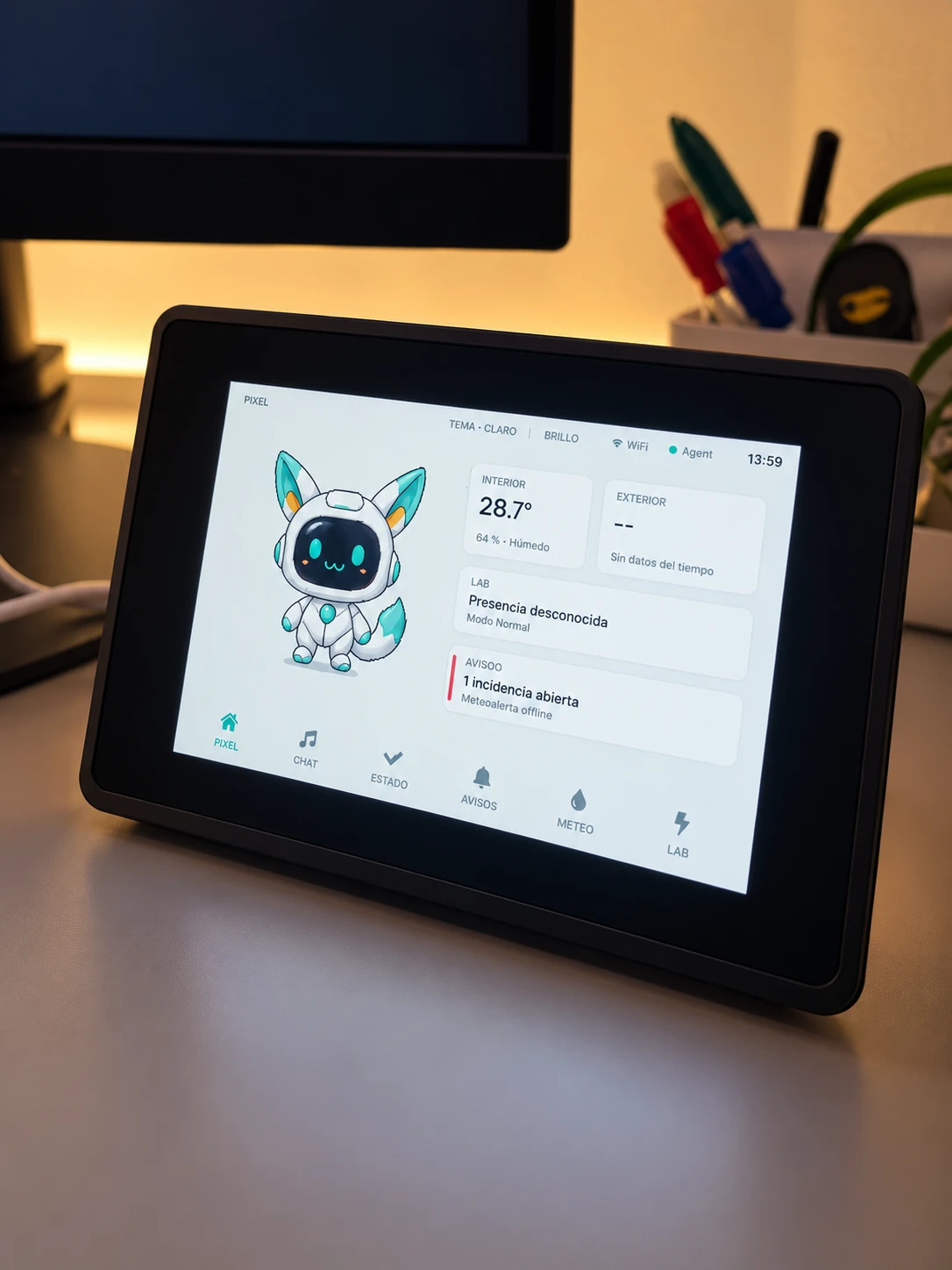
Pixel Voice Assistant is the desk-side body of Pixel, the AI character that sits on top of Afterlab. It runs on an Elecrow CrowPanel Advanced 5-inch, an ESP32-P4 board with an 800×480 touchscreen, a digital microphone, a speaker and a microSD slot, with Wi-Fi provided by a companion ESP32-C6.
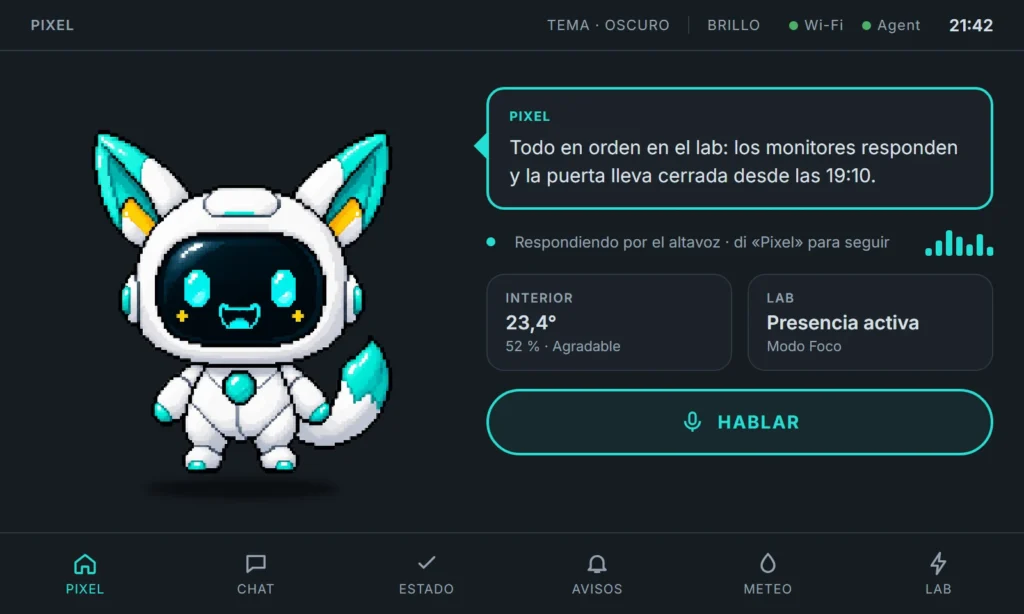
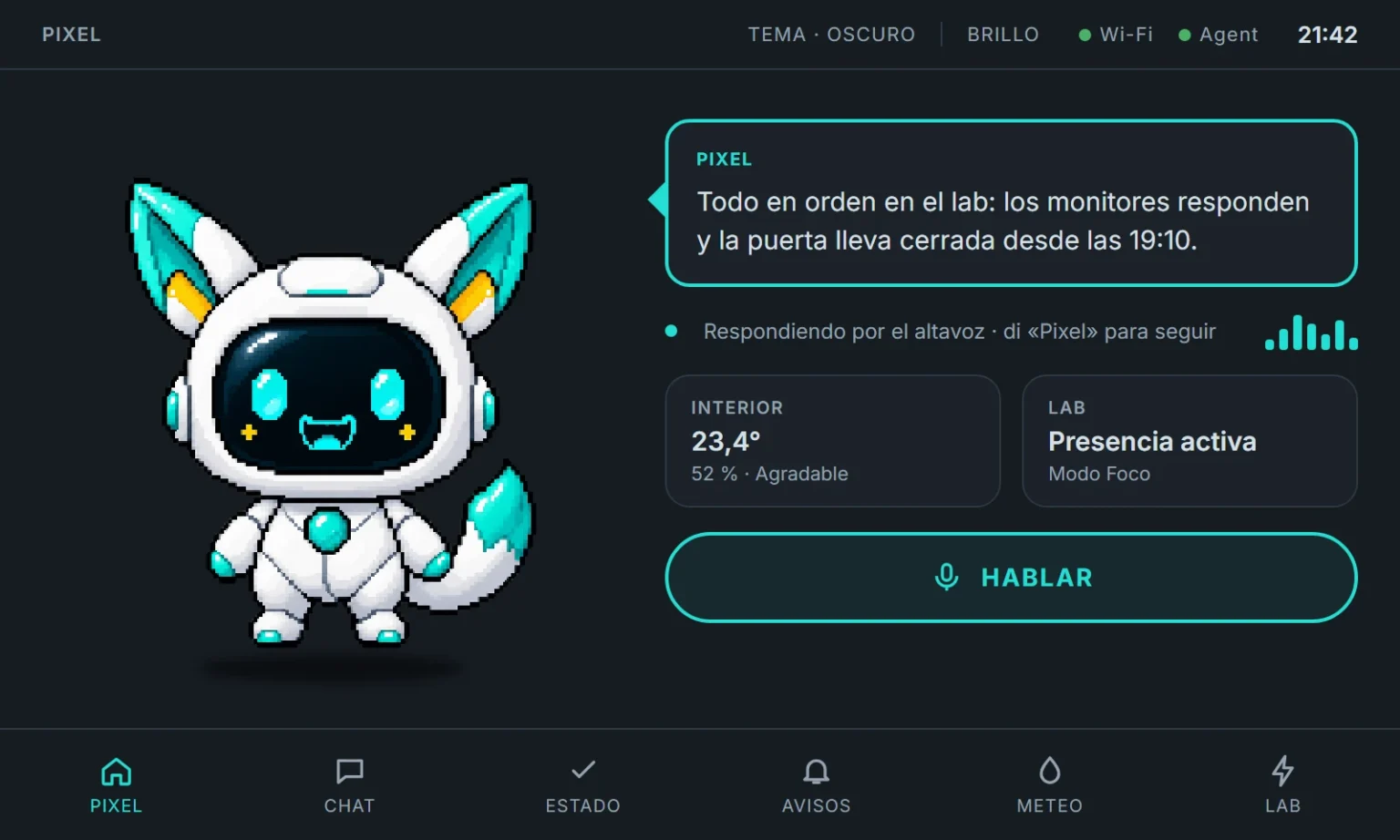
You can talk to it without touching it: say "Pixel", ask a question in Spanish and the answer comes back through the speaker while the character listens, thinks and speaks on screen. A HABLAR button starts the same turn by touch.
Around the voice, the panel has become a small control surface for the lab: a home screen with indoor and outdoor conditions, the state of Lab Node and the door, open alerts, a conversation log, a system summary and control of the lab lights. When nobody is using it, it falls back to an ambient clock with temperature and comfort.
Purpose
Why it exists
Afterlab can already answer questions in the browser, on Telegram and on the desktop, but all of those require sitting down in front of a screen. I wanted Pixel to have a physical presence in the room: something that can be asked a question in passing, and that shows at a glance whether the lab is fine.
It was also a test of how far a character can go on a microcontroller. Pixel's pixel art, expressions and motion were designed first in a web preview and then carried to the board through a shared specification, so the same character lives in the browser and on the device without being redrawn.
Finally, it pushes the voice pipeline onto real, imperfect hardware. A microphone that streams all day, audio on a chip with limited memory and a device that must recover by itself after a bad update are very different problems from a web demo.
In numbers
The project at a glance
Main views
Pixel expressions
Ways to talk
Current firmware
System
How it works
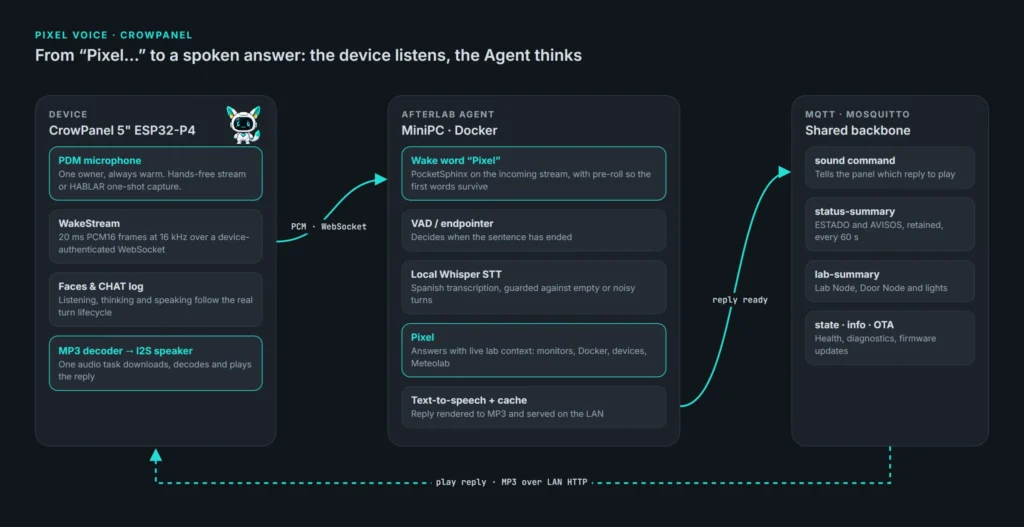
The device listens and the Agent thinks. The CrowPanel keeps its microphone warm and streams short 20 ms audio frames over an authenticated WebSocket to the Afterlab Agent on the MiniPC. There, PocketSphinx listens for the wake word with a little pre-roll so the first words are not lost, a voice-activity endpointer decides when the sentence has ended, and a local Whisper model transcribes it.
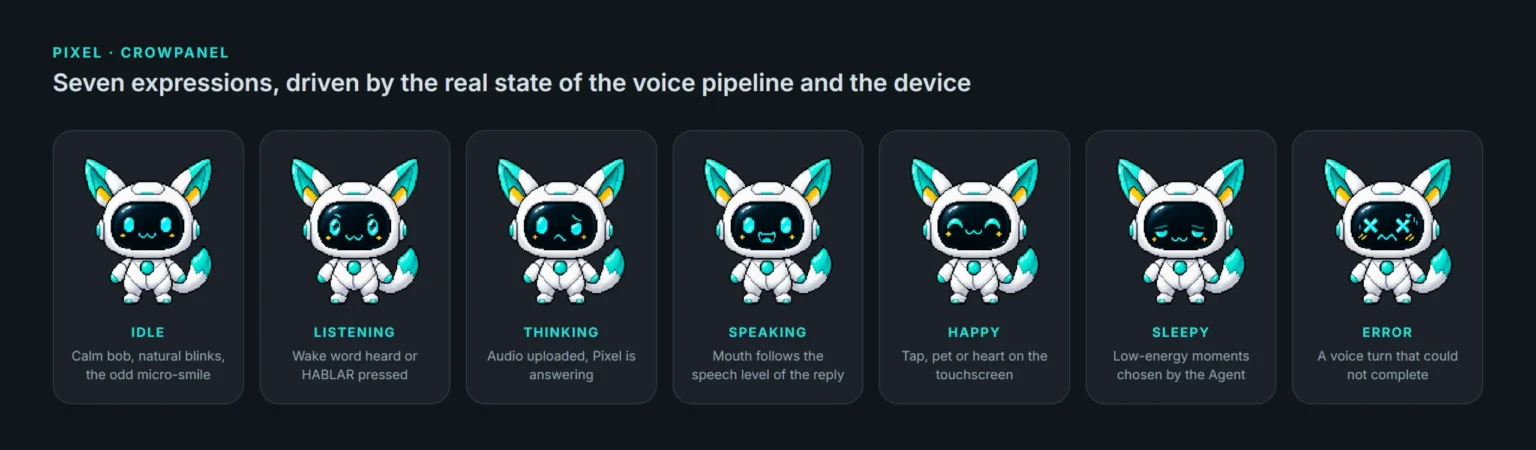
Pixel answers with live context from the lab: monitors, Docker, devices and Meteolab readings. The reply is turned into speech, cached and served on the local network, and an MQTT command tells the panel which clip to play. A single audio task on the board downloads, decodes and plays it, while the face follows the real state of the turn: listening, thinking, speaking, or an error face when something fails.
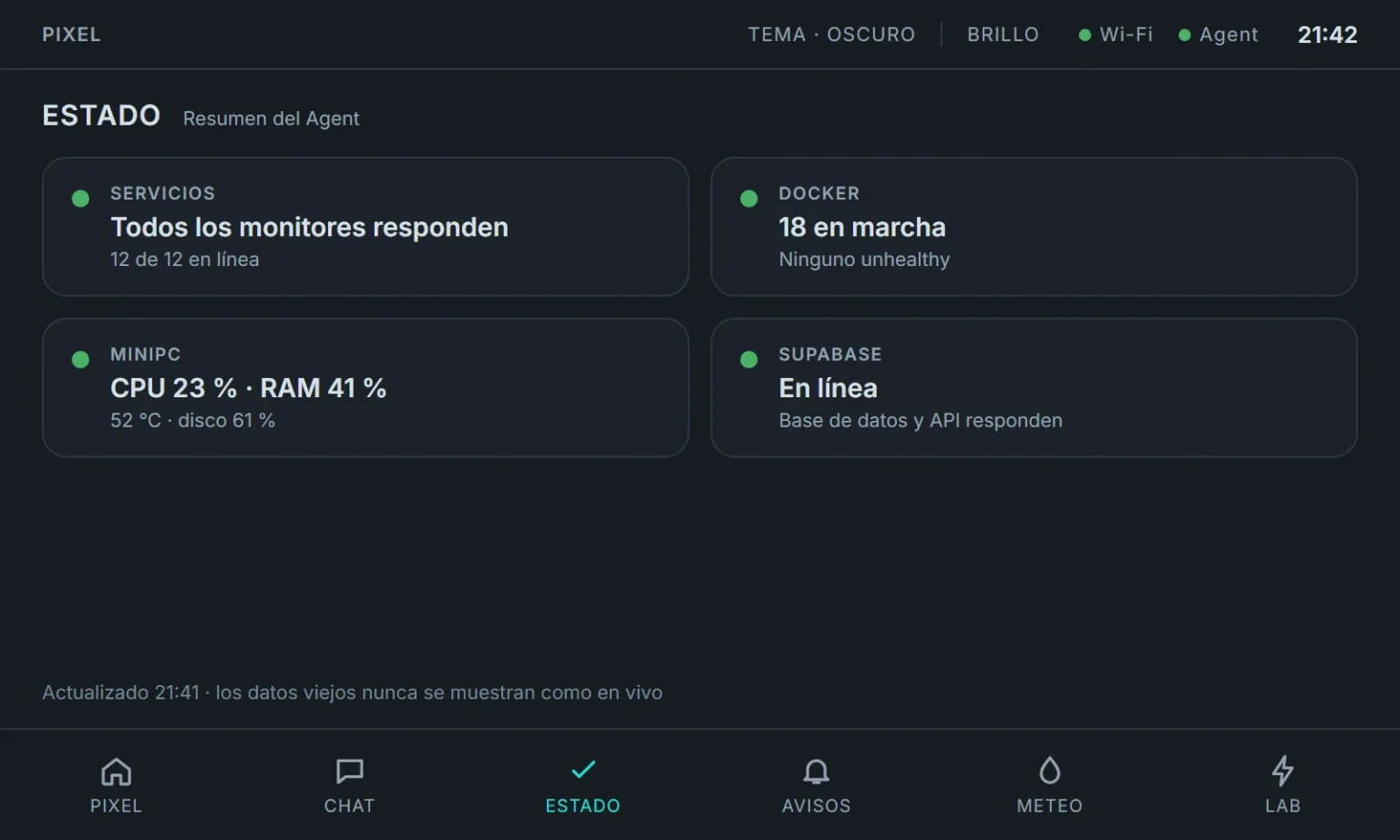
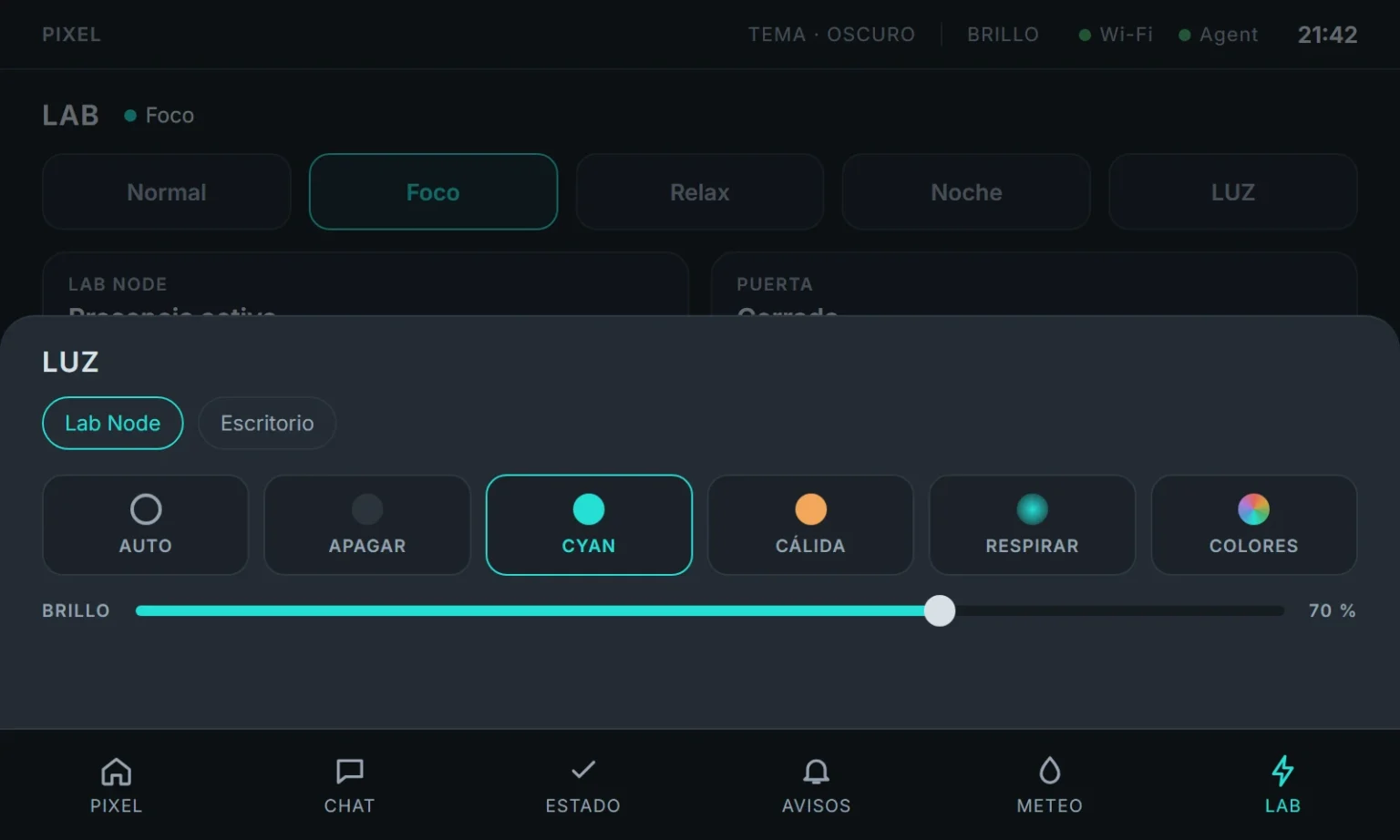
The rest of the screen is fed by the same MQTT backbone. The Agent publishes compact, retained summaries of system status, open incidents and lab devices; the panel parses them strictly and never shows stale data as if it were live. Alerts can be marked as seen from the panel, and the LUZ sheet sends closed light presets to the NeoPixels the Agent already knows about.
Underneath, the firmware is written in C++ on ESP-IDF 5.5.5 with LVGL 9. Preferences live in NVS, the clock syncs over SNTP, the microSD stores offline sound clips, and updates arrive over the air into a second slot. Since 0.17.5 a new image is only confirmed after it has run cleanly for 90 seconds, so a crash during start-up rolls the panel back to the previous version without a USB cable.
Outcome
Where it stands
Firmware 0.17.5 is running on the panel with six main views: PIXEL, CHAT, ESTADO, AVISOS, METEO and LAB, plus a SYSTEM page for connection, firmware and diagnostics.
Voice works in both modes. The hands-free path took the longest: getting a continuous, clean stream out of the board's PDM microphone meant fixing DMA timing, buffer handling, WebSocket keepalives and stack sizes one by one, and the counters behind those fixes were exposed as remote diagnostics so the device page in Afterlab could show what the panel was doing without a serial cable.
The September releases moved the panel from a talking face to a lab surface: ambient mode, rich notifications, the status and alerts channels, microSD sound clips, Lab Node and Door Node cards, the light sheet and the redesigned home with Pixel's tail in motion.
It is still marked experimental inside Afterlab. Several releases are complete in code but are waiting for longer physical testing, and the panel is not yet part of the firmware registry used by the other devices.
Gallery
Selected work
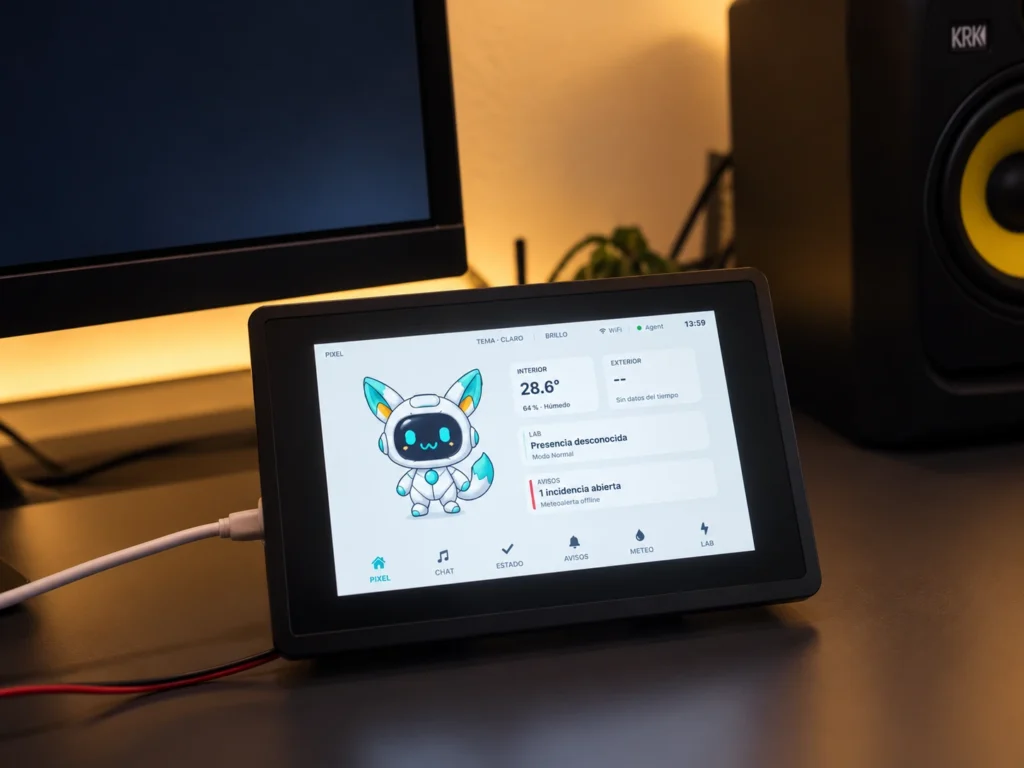
A closer look at the screens, details and the build in context. Open any image to see it full size.
Highlights
What it does
The CrowPanel is where Pixel stops being a chat window and becomes something in the room. Most of the work went into making voice, character and lab state feel like one device rather than three features on a screen.
-
Hands-free voice
Say "Pixel" and ask; the answer comes back through the speaker, with HABLAR as a touch fallback
-
A living character
Seven expressions, natural blinks, a swinging tail and touch reactions, all from the approved pixel art
-
Lab at a glance
Indoor and outdoor conditions, Lab Node presence, the door and open alerts on the home screen
-
Conversation log
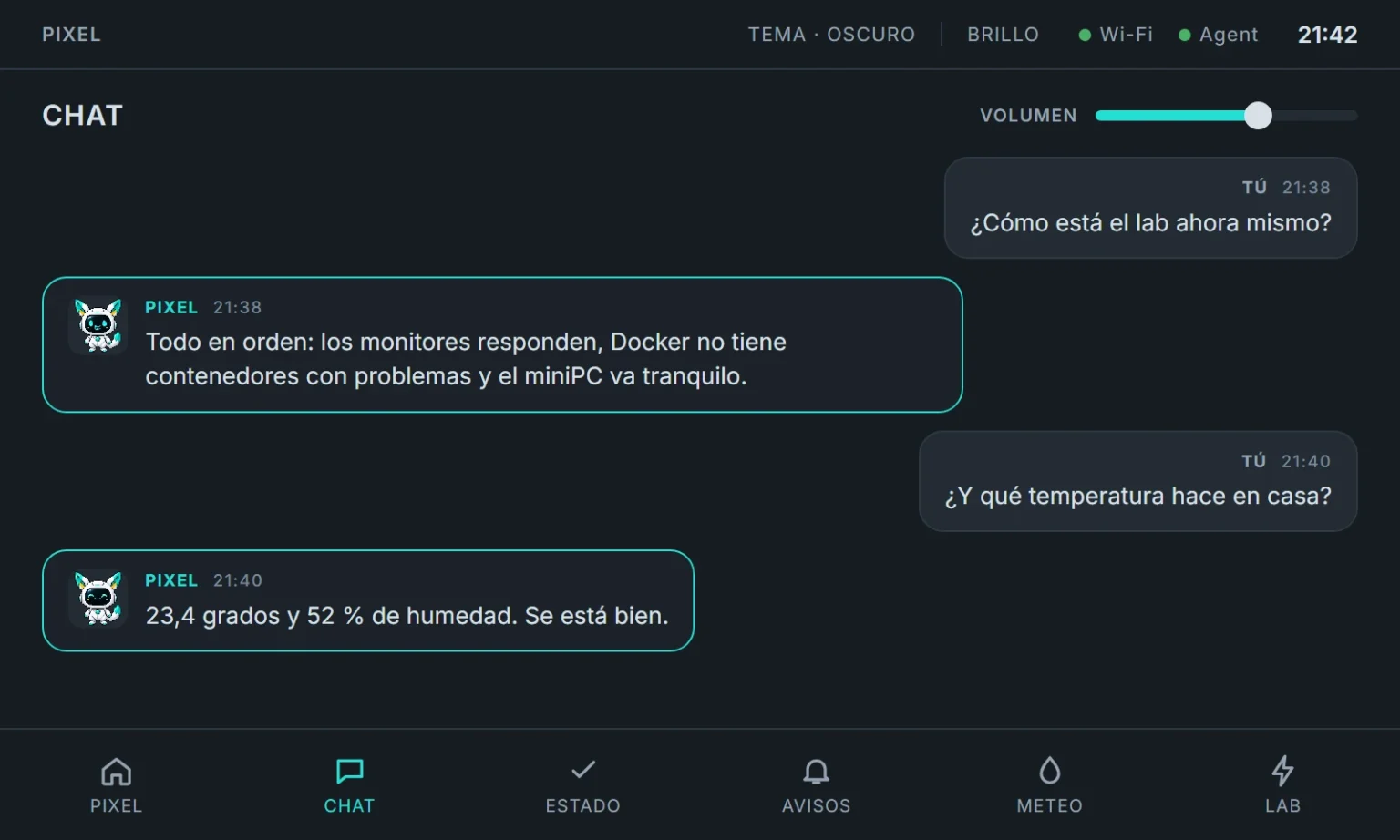
A CHAT view keeps the latest exchanges with Pixel, with its own volume control
-
System status
ESTADO summarises monitors, Docker, the MiniPC and Supabase without opening Mission Control
-
Alerts you can acknowledge
AVISOS lists open incidents and marks them as seen in Afterlab from the panel
-
Light control
The LUZ sheet drives the lab NeoPixels with safe presets and brightness
-
Ambient mode
When idle, the panel becomes a clock with temperature, dew point and comfort
-
Day and night themes
Colours come straight from the Afterlab web tokens, so the panel never drifts from the web
-
Self-healing updates
Over-the-air updates confirm only after a clean run and roll back on their own if start-up fails
Evolution
How it grew
The key milestones, from the first idea to where the project stands today.
-
Aug 2026
Pixel Screen
The character, its expressions and an 800×480 screen are designed in a web preview with a portable spec
-
Sep 2026
0.1 First firmware
The spec is compiled into ESP-IDF and LVGL; Pixel runs on the CrowPanel with touch, MQTT and OTA updates
-
Sep 2026
0.2–0.3 Voice turn
Physical speaker output and push-to-talk: record, transcribe, answer, play
-
Sep 2026
0.4 Wake word
Hands-free listening over a WebSocket stream, hardened through a long series of microphone fixes
-
Sep 2026
0.5–0.9 Everyday device
Saved preferences, real clock, standby, remote diagnostics and the CHAT view
-
Sep 2026
0.11–0.13 Lab surface
Ambient mode, day theme, notifications, ESTADO and AVISOS
-
Sep 2026
0.14–0.16 Hardware & lab
Boot progress, microSD clips, Lab Node and Door Node cards
-
Sep 2026
0.17 Home & lights
New home layout, tail animation, Afterlab colours, LUZ sheet and self-recovering OTA
Technical foundation
Tools & stack
AI & Models
- whisper.cpp
Backend
- Python
Backend API
- FastAPI
Database
- Supabase
Device Messaging
- MQTT
Embedded Hardware
- ESP32
Hardware
- C++
Infrastructure
- Docker
Next
What comes next
The first job is physical validation: running the latest releases on the board long enough to trust them, and closing the remote diagnostics work on the device page so problems can be understood from Afterlab.
After that, the panel should become a first-class device in the firmware registry like the rest of the lab, and the voice experience can improve in the places that still feel mechanical: interrupting Pixel while it speaks, smoother turn-taking and more of the character's body moving independently.